In this guide (6 sections)
- Reviving a dormant contact is cheaper than finding a new one
- Revive dormant contacts and let dead ones go
- Send three to five win-back touches, not one
- Write win-back emails about what they get, not what you want
- Set up the win-back campaign in GoHighLevel or Systeme.io
- Stop emailing anyone who ignores all five touches
You probably have hundreds of contacts in your CRM who went quiet. They filled out a form, maybe took a call, then disappeared. Most businesses write them off and buy more traffic, which is expensive and backwards. A CRM win-back campaign reactivates dormant leads and lapsed customers, people who already know you, for much less than a fresh lead costs. Below: who's worth reviving, how to build the sequence, what to say, and how to set it up in your CRM.
Reviving a dormant contact is cheaper than finding a new one
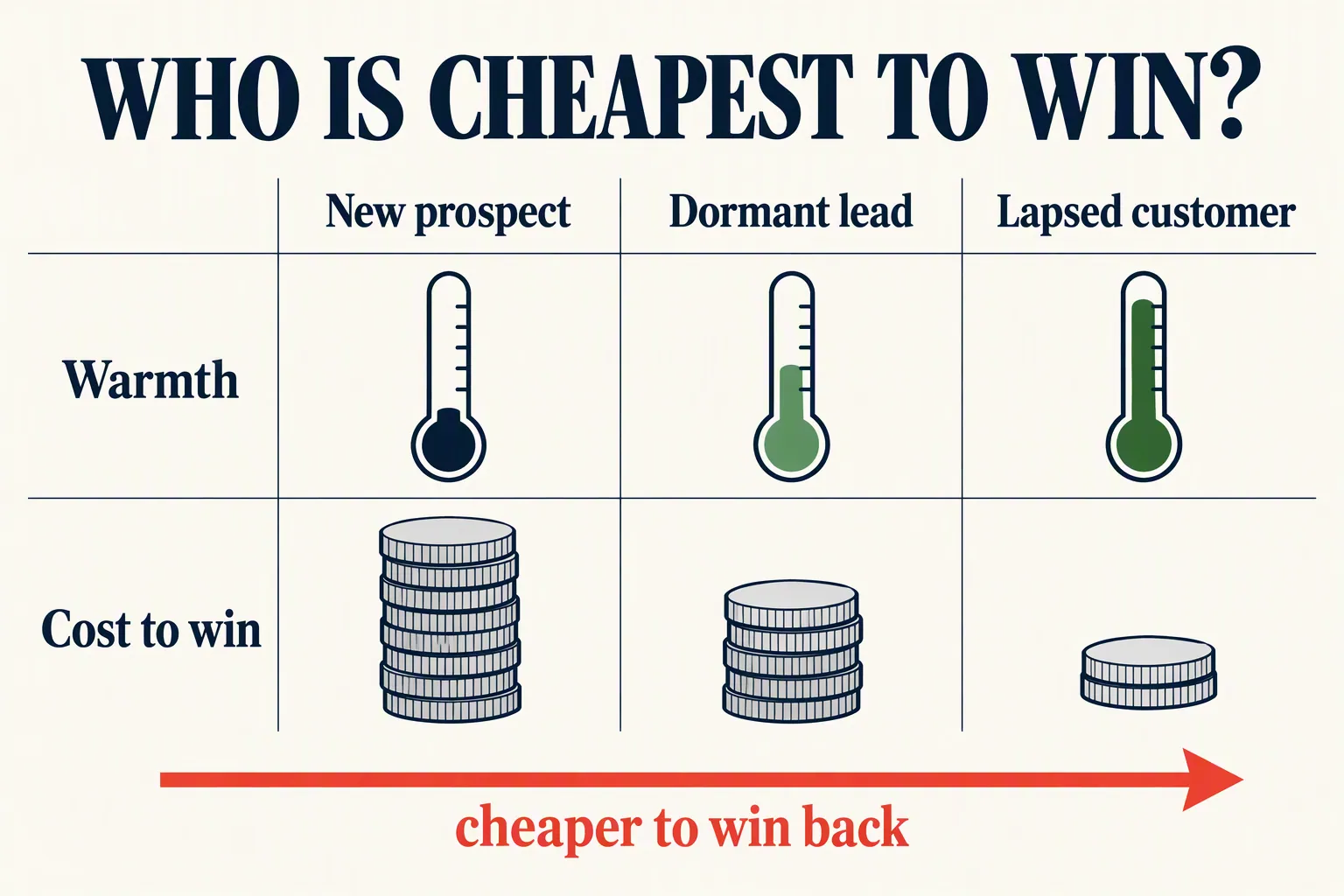
A dormant lead already raised their hand once. A stranger hasn't, and that gap is worth a lot.
The often-quoted figures, collected by Invesp, put the odds of selling to an existing customer at 60-70%, versus 5-20% for a new prospect. Invesp also cites new customers costing about five times as much to win as keeping current ones.
Lapsed customers sit close to that first group. Leads who never bought sit somewhere in between: warmer than a stranger, cheaper than an ad click.
Try the numbers on your own list. Say you have 500 dormant contacts and win back 5%. That's 25 warm conversations you didn't have to buy from an ad platform.
Most people skip this because dormant leads feel like failures. So they bury them, and keep paying ads to replace people they already have. A win-back campaign works the list you've already paid for.
Revive dormant contacts and let dead ones go
Not every quiet contact is worth chasing. Some are just busy, and some are gone for good. Mixing them up wastes effort and hurts your deliverability.
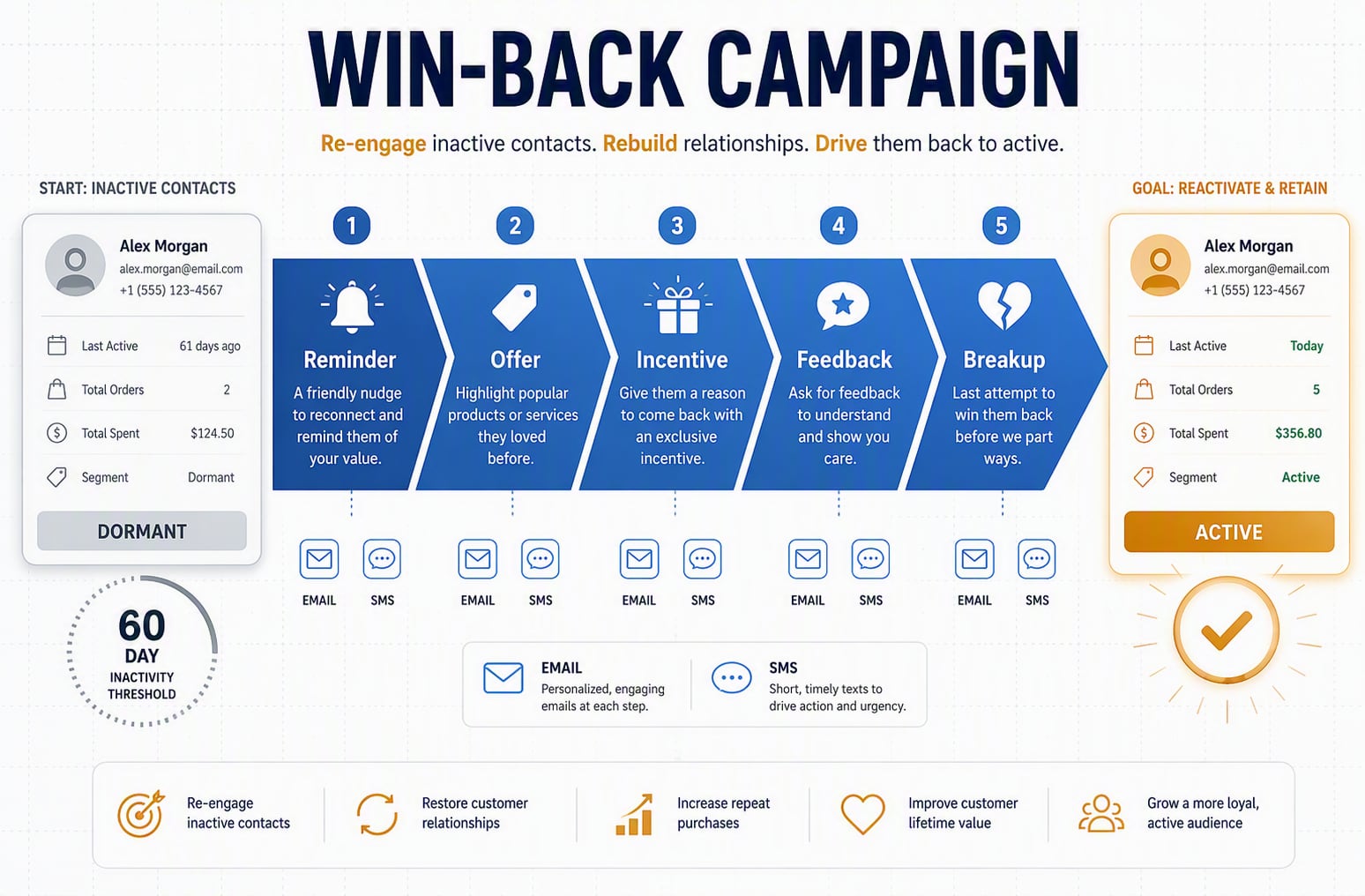
Start with a dormancy threshold. Most teams use 60 to 90 days with no opens, clicks or replies. Before that, people are just busy. After it, they need a nudge.
Don't wait long. Bouncer's re-engagement benchmarks say the average email list decays 22-30% a year. And Mailmend's win-back roundup reports that only 11% of lapsed customers come back after a month without a win-back campaign.
Pulling the segment is easy in any CRM. Filter by last activity date and scan the list. You'll usually see three groups: past buyers who drifted, leads who never bought, and junk. Target the first two and skip the third.
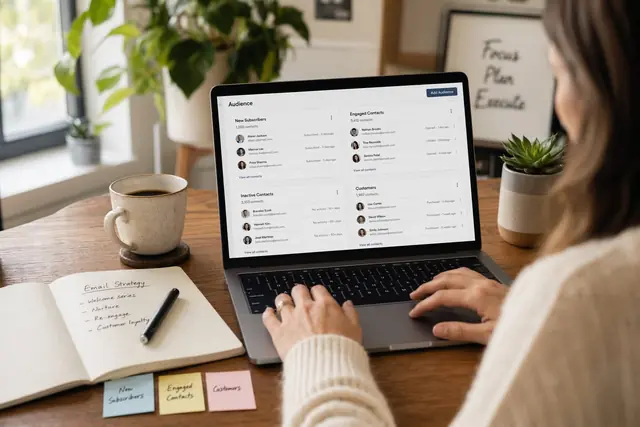
Before you build anything, run a quick CRM data cleanup so you're not reviving typos and dead addresses. Then tag the group properly. Good email segmentation is what lets you target this campaign at all.
- Worth reviving: opened something in the last six months, bought before, fits your ideal customer, or once replied to a person.
- Let go: hard bounces, spam complaints, role addresses like info@, and anyone silent for over a year who never engaged.
Send three to five win-back touches, not one
One "we miss you" email rarely works. Give people a few different reasons to come back, spaced out over time.
Spread the touches over two to three weeks. Faster feels desperate; slower and they forget you again. Mix in a short text too, which is where SMS follow-up earns its keep.
Set realistic targets. Opensend's roundup of ecommerce win-back data puts successful campaigns at 10-30% reactivation. Plan for the low end, especially outside ecommerce. Even 5% of 500 contacts is 25 people back in your pipeline for the price of a few emails.
Here's a five-touch outline that suits most small businesses. Stretch or shrink the timing to fit your sales cycle.
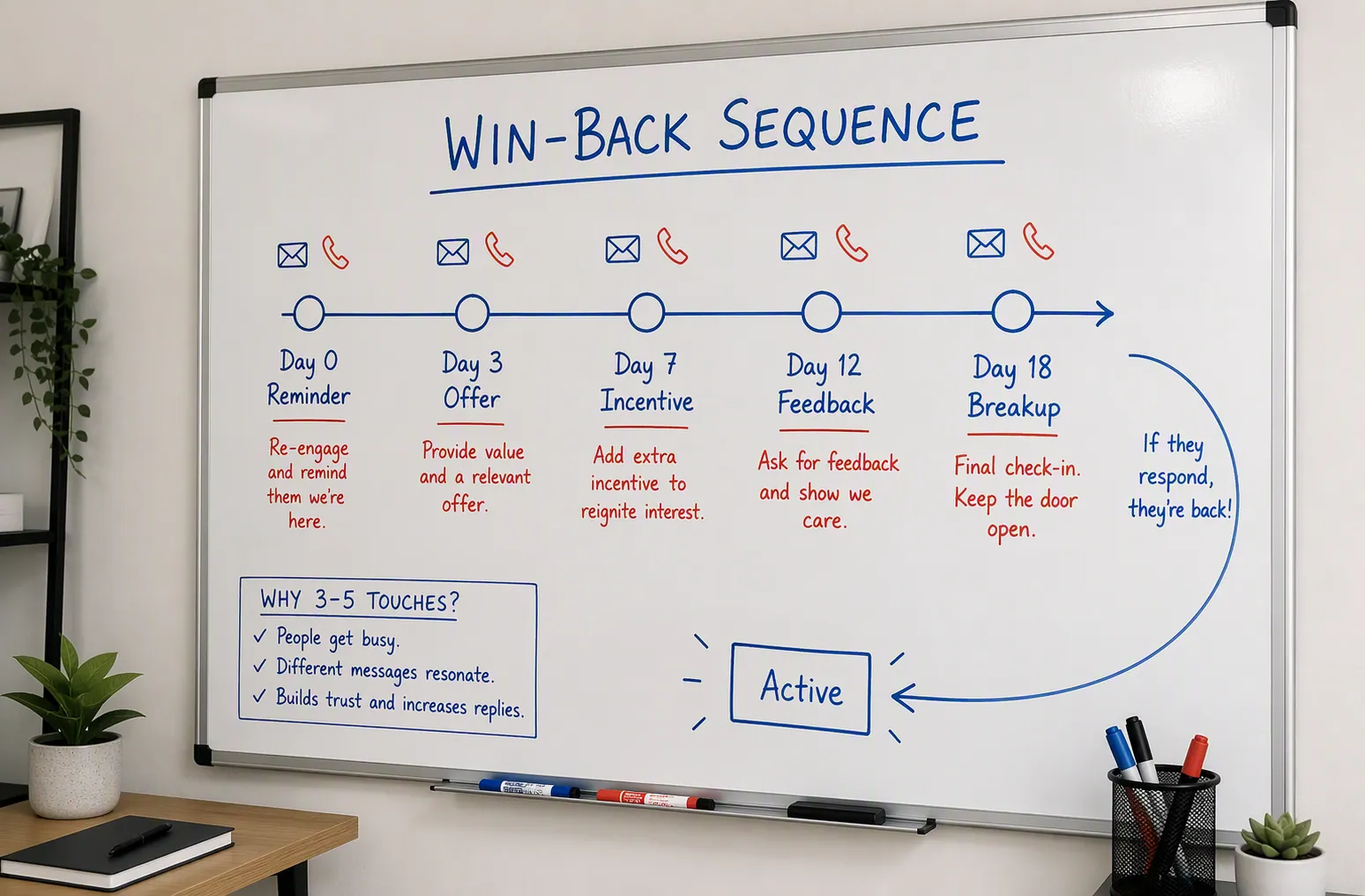
- Day 0, the reminder: lead with something useful, like a tip, a new feature or a simple check-in. No guilt.
- Day 3, the reason to return: your best offer, a short case study, or the thing they originally wanted.
- Day 7, the incentive: a discount, bonus or free consult if your margins allow. Give it a deadline.
- Day 12, the feedback ask: "Did we drop the ball?" One easy question. It often restarts a real conversation.
- Day 18, the breakup: "This is our last email." It brings some people back and cleans your list either way.
Write win-back emails about what they get, not what you want
Win-back emails start behind. Bouncer puts average re-engagement open rates at 12-15%, below regular campaigns.
Automated win-backs can do much better. Mailmend cites open rates around 42% for automated win-back emails. What helps most is landing in the inbox and sounding like a person, not a brand.
Skip the guilt trip. Lead with something they get, not something you want. Keep each email to one idea and one clear action.
The subject line does most of the work, and specific beats nostalgic. Try "Still stuck on [problem]?", "A quick gift, no strings" or "Should we close your account?" Each hints at value or stakes instead of begging.
A few angles that bring people back:
- The value drop: send your single best resource, free. It reminds them why they signed up.
- The honest offer: name the discount or bonus in the subject line and set a real deadline.
- The one-question ask: "What made you go quiet?" People are happy to tell you where you fell short.
- The clean breakup: say it's the last email. Some people click just to stay on the list.
Set up the win-back campaign in GoHighLevel or Systeme.io
The strategy is the same in any CRM; only the buttons change. Here's where to start in two platforms small teams use a lot.
In GoHighLevel, build a workflow triggered by a "no engagement in 60 days" filter. The $97-a-month Starter plan (prices checked October 2026) covers email, SMS and automation, so the whole sequence runs in one place. Text messages are billed by usage on top of that.
In Systeme.io, tag dormant contacts, then fire an automation off that tag. The free plan includes one automation rule and one email campaign, enough to test a win-back. Paid plans start at $17 a month.
Either way, the setup is the same. Define the dormant filter, add your five emails to an automation, and add an exit goal so anyone who replies or buys stops getting messages. Still choosing between the two? Our Systeme.io vs GoHighLevel breakdown will help.
Test on 50 to 100 dormant contacts before you send to everyone. If opens, clicks and unsubscribes look healthy, roll it out to the full segment. If deliverability tanks, your list has more dead weight than you thought. That's a cleanup problem, not a copy problem.
- Trigger: no open, click or reply in 60 to 90 days.
- Exit goal: any reply, click or purchase removes them from the sequence.
- Suppression: after the final email, stop sending to anyone who didn't respond.
Stop emailing anyone who ignores all five touches
A win-back campaign has two good endings: people come back, or they leave cleanly.
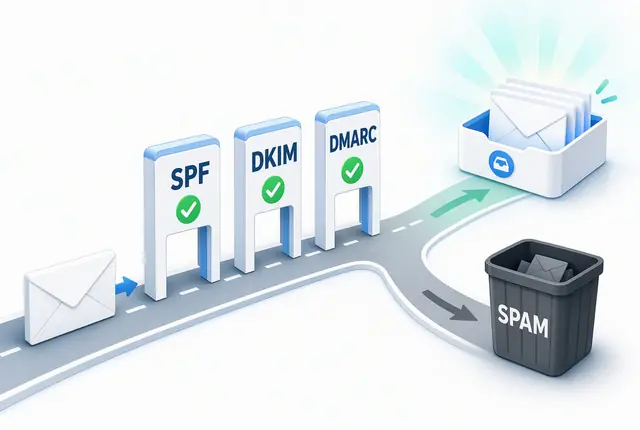
If someone ignores all five touches, suppress or delete them. A list full of non-openers tells inbox providers nobody wants your mail, which pushes your good emails toward spam. Sunsetting them protects every campaign that follows. Our email deliverability guide explains why.
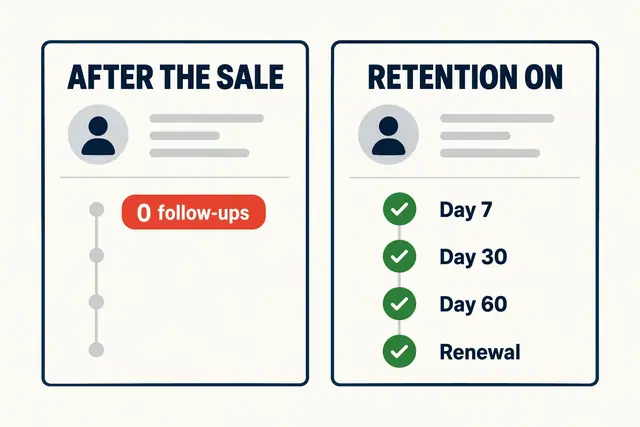
When you win someone back, don't drop them into the same silence that lost them. Move them into a real customer retention workflow so you're not running this again in six months.
Make it a habit. Put a quarterly reminder on your calendar and rerun the campaign on whoever went quiet since last time. It takes an afternoon, and it recovers revenue you'd written off while keeping your list clean.
How we write these: we set up and use these tools for real small businesses, check vendor pricing pages and documentation, and link our sources. We earn affiliate commissions from Systeme.io and GoHighLevel; that never decides what goes in a guide.