CRM email segmentation: stop blasting your entire list
You've got 2,000 contacts in your CRM. When it's time to send an email, you select "all contacts," write one message, and hit send. Open rate: maybe 18%. Click rate: under 2%. You blame the subject line. You try a different send time. Nothing moves. Here's the actual problem — you're sending the same email to people in completely different stages of buying from you. CRM email segmentation fixes this by splitting your list into groups that share something real: buying stage, behavior, engagement level. According to Campaign Monitor's research, segmented campaigns drive up to 760% more revenue than broadcast blasts. You don't need a marketing team or a pricey tool upgrade. Your CRM already tracks the data you need. Four segments. One afternoon. That's all it takes to stop guessing why nobody clicks.
Broadcast emails train your contacts to ignore you
Every time you send the same email to your entire list, you teach a chunk of your audience that your emails aren't for them.
Think about it from the other side. You signed up for a coach's newsletter three months ago. Since then, you've gotten weekly emails about services you already bought, events in cities you don't live near, and offers you never asked about. You stopped opening them. Your inbox started filtering them out.
That's what broadcast emails do at scale. According to Sender's 2026 email benchmarks, broadcast open rates hover around 20–28%. Triggered and segmented emails hit 30–50%. Click-through rates tell the same story: 1.5–2% for broadcasts versus 3–4% for segmented sends.
The conversion gap is where it gets painful. SaleSso's email marketing research puts segmented campaign conversion at roughly 1.4%, compared to 0.08% for untargeted blasts. That's not a rounding error. That's 17x.
Every irrelevant email also gives a contact a reason to unsubscribe — or worse, mark you as spam. If you've cleaned up your CRM data recently, you know how fast lists shrink on their own. Broadcasting speeds that up. The contacts who leave first are usually the engaged ones. They had expectations, and you didn't meet them.
You're already paying for every contact on that list. Some CRMs charge by tier, and every inactive contact who sticks around pushes you closer to the next pricing bracket. Sending them content they ignore costs you twice: once in the tool fee and once in the deliverability hit.
Four CRM email segments every small business should build first
You don't need 20 segments. You need four. Build these first and add more only when you have data showing a reason to split further.
These four groups map to how people actually move through a buying decision. Each one needs different content, different frequency, and a different call to action. Sending the same message to all four is exactly the problem we're fixing.
Don't over-complicate this. If a contact doesn't fit neatly into one segment, pick the closest one. You'll refine the boundaries after a few weeks of data.
Once these segments are running, you'll see the difference within two weeks. Open rates climb because each group gets content that matches where they are. Unsubscribes drop because nobody's getting emails that feel random.
If you've already set up CRM lead scoring, your segments practically build themselves. High scores map to your engaged group. Low scores map to inactive. New contacts start fresh. Customers are already tagged by purchase.
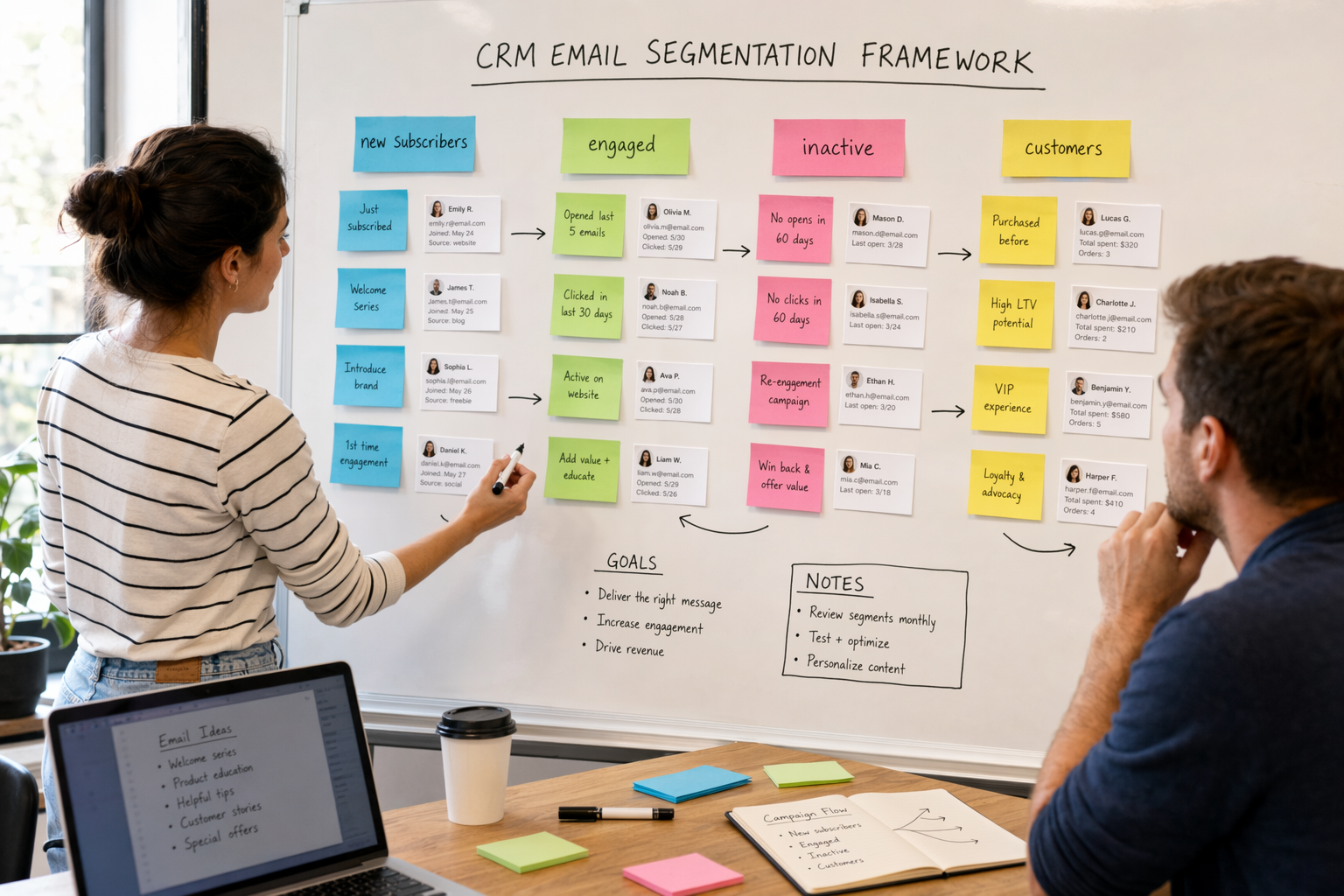
- New subscribers (first 30 days): They just joined your list. They don't know your voice yet. Send a welcome sequence — 3 to 5 emails over two weeks — that introduces what you do, shares your best content, and makes one low-pressure offer. Don't pitch hard here. They're still deciding if you're worth reading.
- Engaged contacts (opened or clicked in the last 60 days): These people are paying attention. They open your emails, click your links, visit your site. This is your best audience for offers, case studies, and invitations. Email them weekly — they can handle it because they've shown they want to hear from you.
- Inactive contacts (no opens or clicks in 90+ days): They've gone quiet. Send a re-engagement sequence — 2 to 3 emails asking if they still want to hear from you. If they don't respond, move them to a suppression list. Continuing to email inactive contacts tanks your deliverability and wastes money if your CRM charges per contact.
- Customers (already purchased or signed up): People who already paid you need different emails than prospects. Send onboarding content, usage tips, upsell offers, or referral requests. Don't keep selling them the thing they already bought — it's the fastest way to make a customer regret their purchase.
How to set up CRM email segmentation in HubSpot, GoHighLevel, or ActiveCampaign
The four segments above work in any CRM. Here's where to click in the three platforms we see most often.
All three support the behavioral data — opens, clicks, last activity date — you need for these segments. The real difference is pricing and how much manual setup each platform requires.
- HubSpot: Go to Contacts → Lists and create active lists filtered by email activity and contact properties. Filter by "last email open date" and "last email click date" to build engagement tiers. Active lists update automatically as contacts meet your criteria. The catch: behavioral segmentation with automation requires HubSpot's Professional tier at $800/month. Starter ($20/month) gives you basic lists but no activity-based triggers.
- GoHighLevel: Use Smart Lists or tag-based filtering in the Contacts section. Build workflows that tag contacts based on email engagement, then segment by those tags. All plans start at $97/month with unlimited contacts and full automation, so you won't hit a feature wall. The trade-off: GoHighLevel's engagement tracking needs a bit more manual workflow setup than HubSpot's built-in activity filters.
- ActiveCampaign: Head to Contacts → Advanced Search and filter by email activity — opens, clicks, and date ranges. Save those searches as reusable segments. Segmentation starts at ActiveCampaign's Lite plan at $29/month, making it the cheapest entry point for small lists. Their automation builder moves contacts between segments automatically, so you don't have to re-tag anyone by hand.
Match content to segments — not the other way around
Most businesses write an email first, then figure out who should get it. Flip that. Start with the segment, then write what that group actually needs to hear.
This sounds like more work. It's actually less. When you know who you're writing for, the email practically writes itself. "What should I send my new subscribers?" is a much easier question than "What should I send my list?"
The math works out, too. If you send four emails per month and you have four segments, you're still writing four emails total — not sixteen. Each segment just gets the one email that's actually relevant to them. Same effort as broadcast, dramatically better results.
If you're sending a product launch email, the engaged segment sees the full pitch. New subscribers get a softer version with more context. Inactive contacts don't get it at all — they haven't opened anything in three months, so another email they'll ignore just hurts your sender reputation.
Before every send, ask one question: "Which segment is this for?" If the answer is "everyone," rewrite it or skip it.
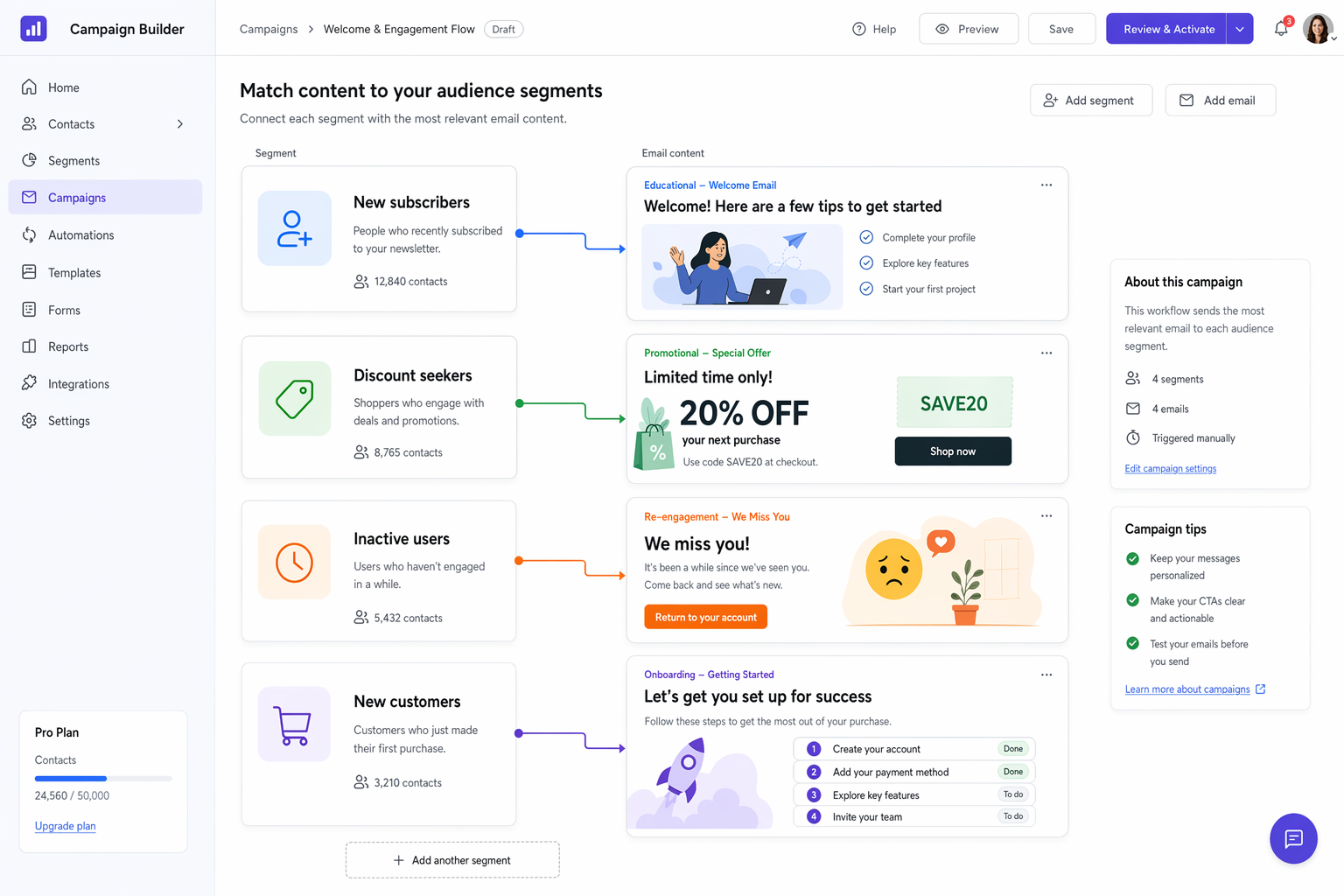
- New subscribers: educational content. Teach them something useful. Build trust before you pitch anything.
- Engaged contacts: offers and proof. Case studies, testimonials, limited-time offers — they're warm enough to hear it.
- Inactive contacts: one question. "Still want to hear from us?" Keep it short. Give them an easy way to stay or leave.
- Customers: onboarding, tips, and referral asks. Help them succeed with what they bought. Happy customers send referrals.
Review your segments monthly or they'll mislead you
Segments built on behavior are only as fresh as the behavior itself. A contact in your "engaged" group who hasn't opened an email in 60 days isn't engaged anymore. If they stay in that segment, your metrics look better than reality and your emails go to people who've checked out.
Set a monthly reminder. The review takes about 15 minutes.
Your CRM data decays at roughly 30% per year, according to Landbase's data research. That means a third of your segment membership will shift in the next twelve months whether you do anything or not. Monthly reviews keep your segments honest and your emails going to the right people.
Good segmentation compounds over time. As your segments get cleaner, open rates rise. Higher open rates improve your sender reputation. Better sender reputation means more emails land in the primary inbox instead of promotions. It's a cycle that works — but only if the segments stay current.
The businesses we work with that check segments consistently don't just maintain results — they improve them. A monthly review often surfaces new opportunities: a segment worth splitting, a dead group worth merging, or a content gap worth filling.
- Check segment sizes. If your engaged group shrank by more than 10% since last month, something changed — figure out what.
- Watch inactive segment growth. A growing inactive list usually means your content isn't connecting or you're sending too often.
- Verify customer tagging. New purchases should move contacts from prospect segments to customer segments automatically. Make sure your automations still handle this correctly.
- Compare unsubscribe rates by segment. If one group has a much higher unsubscribe rate, the content you're sending that group isn't landing.