In this guide (6 sections)
- Inbox placement depends on trust, not subject lines
- Gmail, Yahoo and Outlook enforce the same three rules
- Your sender reputation can still drop after you authenticate
- How to set up SPF, DKIM and DMARC in your CRM
- Warm up a new sending domain before you email everyone
- Run this five-minute check before every campaign
You write a good email, send it to your whole list, and a big chunk of it lands in spam. Nobody tells you. That's a deliverability problem, and it has almost nothing to do with your writing. CRM email deliverability comes down to whether Gmail, Yahoo and Outlook trust the domain you send from. All three now enforce strict sender rules, and plenty of small businesses got caught out. Below: what the rules are, why mail lands in spam, and the setup that gets you back in the inbox.
Inbox placement depends on trust, not subject lines
Spam filters mostly judge the sender, not the words. Mailbox providers ask: have you proven you own your domain, and do people actually want your mail? Get those wrong and your subject line never gets a vote.
Good senders lose mail too. MailReach's roundup of deliverability data puts the global inbox placement average around 84%. That means roughly one in six emails never reaches the inbox.
So before you rewrite another email, look at what providers actually score: your authentication, your engagement and your complaint rate. Get those right and your copy gets a fair shot.
This costs real money. Send to 5,000 people and lose 10% to spam, and 500 people never saw your offer. You paid to collect those contacts and paid to send the email, so you lose twice.
Gmail, Yahoo and Outlook enforce the same three rules
Authentication used to be optional. Now Google, Yahoo and Microsoft all require it for bulk senders.
Google counts you as a bulk sender once you send about 5,000 messages a day to Gmail addresses. Google's sender guidelines say bulk senders must set up SPF, DKIM and DMARC, align their "from" domain, and keep the spam rate in Postmaster Tools below 0.3%. Google's own target is under 0.1%. Even small senders need SPF or DKIM at minimum.
Marketing email also needs a one-click unsubscribe. Yahoo's sender requirements match Google's and add that you must honor unsubscribes within two days.
Microsoft followed with its own rules for Outlook.com, Hotmail and Live. Microsoft's high-volume sender requirements apply the same SPF, DKIM and DMARC checks to domains sending over 5,000 emails a day. Mail that fails can be sent to Junk or rejected outright.
You don't need to send 5,000 a day to feel this. Providers favor authenticated mail at every volume. If you send 800 emails from an unauthenticated domain, you're competing with senders who followed the rules, and losing.
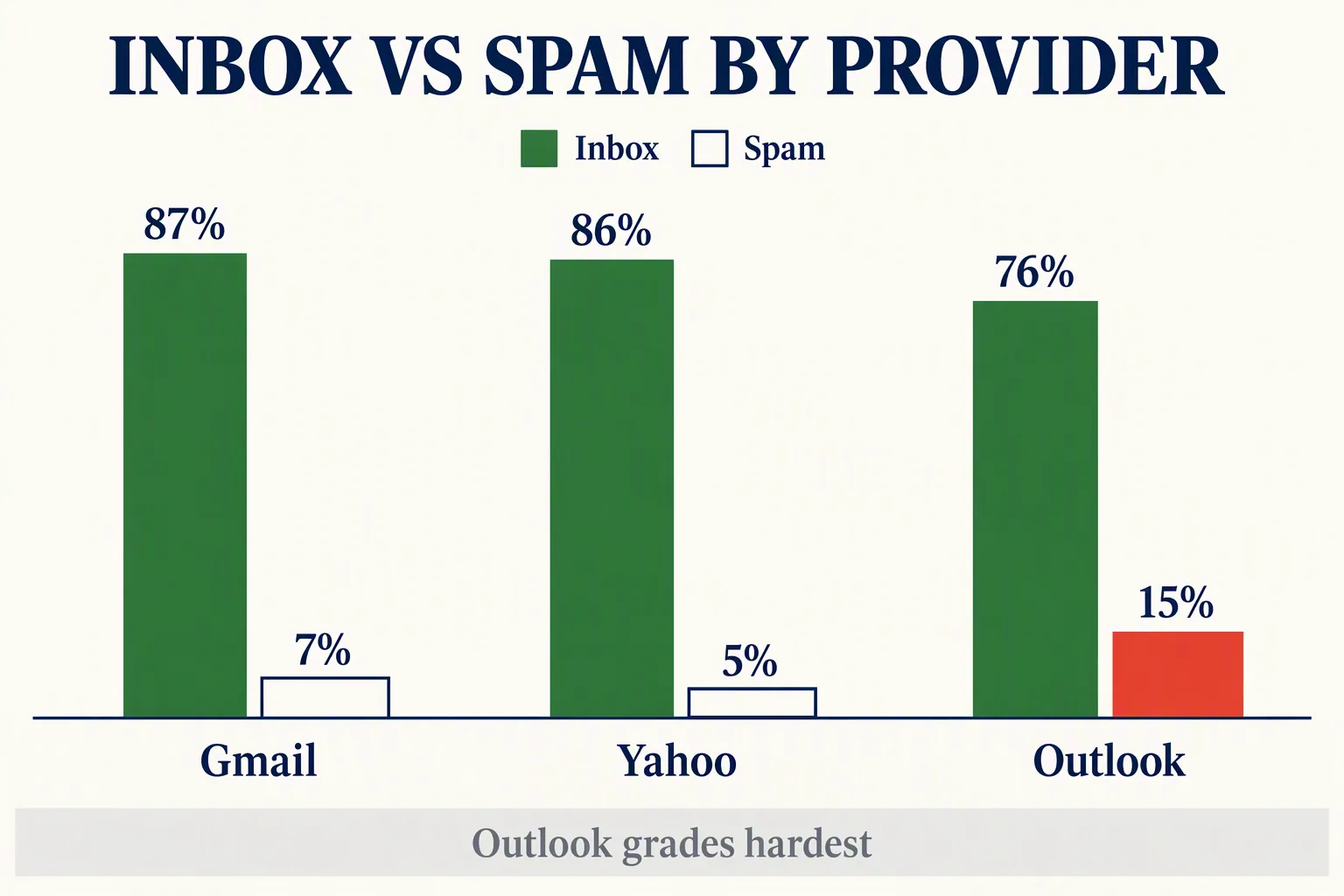
Watch Outlook most closely. In the Validity and Litmus figures MailReach reports, Microsoft inboxes place 75.6% of mail in the inbox and 14.6% in spam. Gmail places about 87% and Yahoo about 86%.
- Authenticate with SPF, DKIM and DMARC, with your "from" domain aligned. Do this at any volume.
- Keep spam complaints under 0.3% (three per 1,000 emails). Aim for under 0.1%.
- Add a one-click unsubscribe to every marketing email and process opt-outs within two days.
- Use Outlook as your early warning. If it's burying you, fix your setup before you send more.
Your sender reputation can still drop after you authenticate
Authentication gets you in the door, but it doesn't keep you there. Once your records pass, providers watch how people react to your mail. That's where most small senders slip.
Dead addresses are the first problem. People change jobs and abandon inboxes. Landbase's data decay roundup puts email list decay at about 28% a year. Keep mailing dead addresses and your bounce rate climbs. The fix is routine: clean your CRM data on a schedule.
Irrelevant mail is the second. Blast everyone with offers most of them don't want and you earn unsubscribes and spam complaints. That 0.3% ceiling is only three complaints per thousand. Segmenting your email list keeps you under it by sending each group what it actually wants.
Bought and scraped lists are the fastest way to wreck a domain. If you enrich contact data, verify every address before you send. One bad batch can spike your bounces overnight.
Your reputation is a running score of how people react. Opens, clicks and replies push it up. Ignores, deletes and complaints pull it down. It snowballs both ways: a clean list earns better placement, and a few bad sends drag down the next ones.
- Suppress contacts with no opens or clicks in 90+ days instead of emailing them forever.
- Pause and investigate if a send bounces more than 2%.
- Never import a list you didn't collect with consent.
- Remove hard bounces right away. They tell providers your data is stale.
How to set up SPF, DKIM and DMARC in your CRM
Your CRM does most of the work. You add a few DNS records and switch on signing. Here's the order that works.
Send from your own domain, not your CRM's shared one. On a shared domain, your reputation is tied to thousands of strangers. Sending as hello@yourbusiness.com puts you in control.
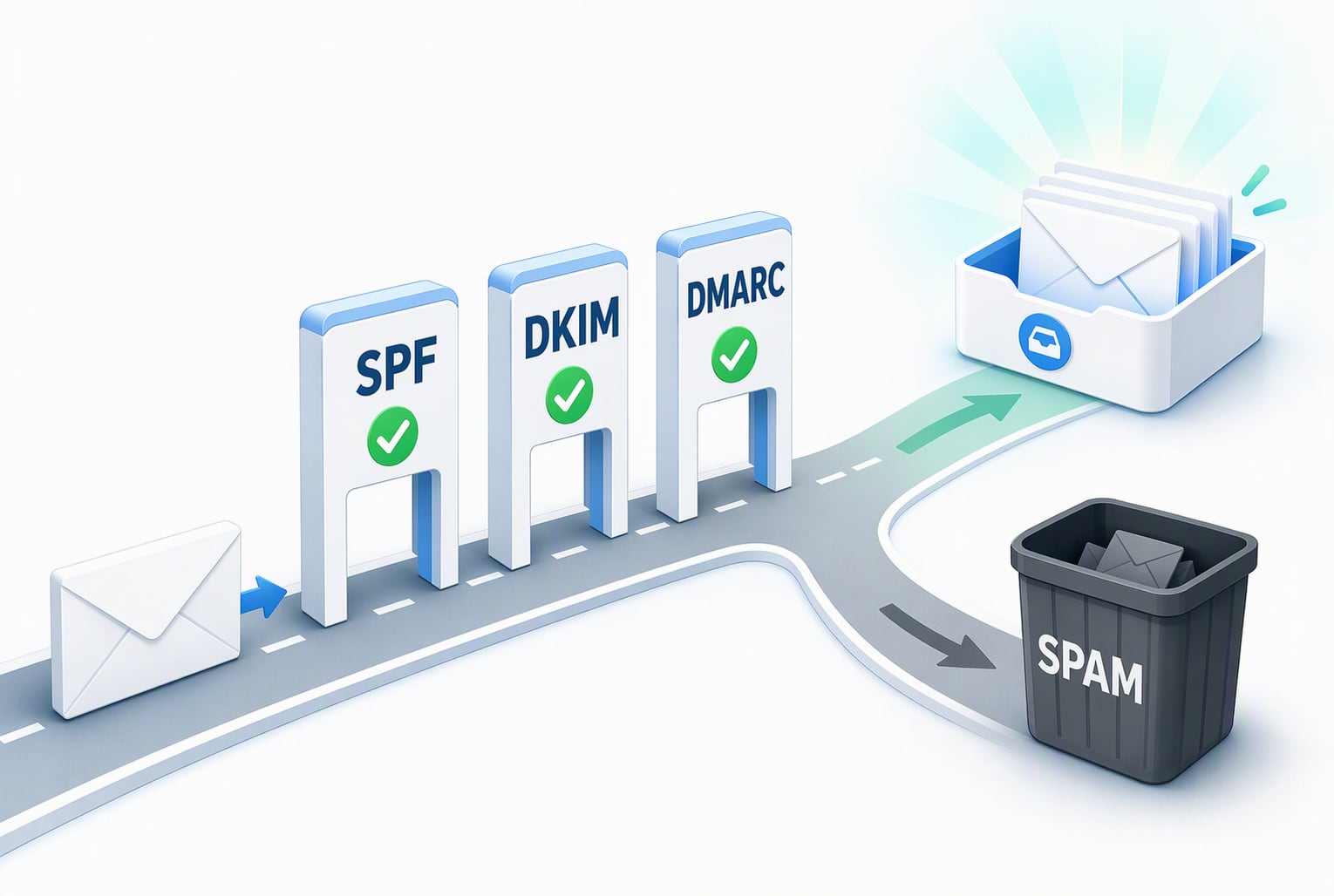
Then add the three records to your domain's DNS. SPF lists the servers allowed to send for you. DKIM signs each message so providers can tell it wasn't tampered with. DMARC tells providers what to do when a message fails. Start DMARC at p=none to monitor, then tighten to quarantine or reject once everything passes.
Every major CRM walks you through this. GoHighLevel generates the exact DNS records for your sending domain. HubSpot asks you to connect and authenticate a domain before you send marketing email. ActiveCampaign lets you turn on custom DKIM signing per domain. The screens differ, but the three records are the same.
Then test it. Send a message to mail-tester.com for a quick score, and connect your domain to Google Postmaster Tools to watch your spam rate. Confirm SPF, DKIM and DMARC all pass before your next real send.
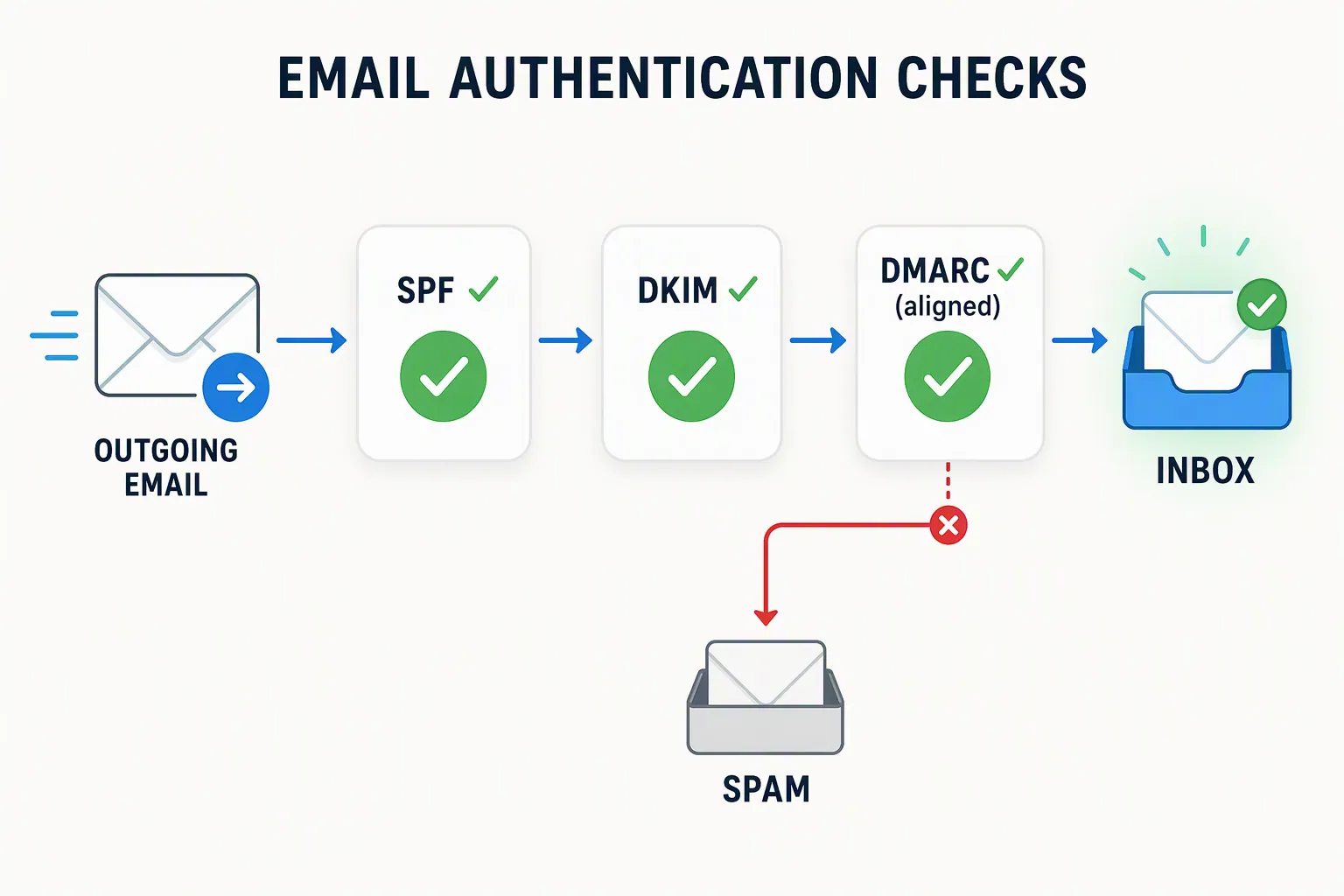
- SPF: one DNS record listing your approved sending services.
- DKIM: a key your CRM generates. Copy it into DNS and turn on signing.
- DMARC: start at p=none, then move to p=quarantine or p=reject.
- Alignment: your visible "from" domain should match the domain you authenticated.
Warm up a new sending domain before you email everyone
Don't send to 10,000 people on day one from a brand-new domain. Providers distrust sudden volume from unknown senders, and you can get flagged in an afternoon.
Ramp up over two to four weeks instead. Start with your most engaged contacts, the people who open and reply. Their reactions teach providers that your mail belongs in the inbox.
Protect your main domain while you do it. Send marketing from a subdomain like mail.yourbusiness.com, so a bad week doesn't hurt the domain your invoices and client replies come from.
Watch Google Postmaster Tools during the ramp. It shows your spam rate and domain reputation day by day. If bounces or complaints spike, or reputation drops from high to medium, pause and clean the list before you send more.
Run this five-minute check before every campaign
Run through this list before you hit send. None of it needs a developer; it all lives in your CRM and your DNS settings.
- SPF, DKIM and DMARC all pass, and your "from" domain matches your authenticated domain.
- You're sending from your own domain, not your CRM's shared address.
- Your list has no hard bounces and no contacts who've been silent for 90+ days.
- The send is segmented, so people actually want what you're sending.
- Every marketing email has a working one-click unsubscribe, and you honor opt-outs within two days.
- Your spam rate in Postmaster Tools is well under 0.3%.
- If the domain is new, you're warming it up instead of blasting the whole list.
How we write these: we set up and use these tools for real small businesses, check vendor pricing pages and documentation, and link our sources. We earn affiliate commissions from Systeme.io and GoHighLevel; that never decides what goes in a guide.