CRM data cleanup: stop paying for contacts who'll never buy
Half the contacts in your CRM probably shouldn't be there. Dead email addresses, duplicates from that CSV import six months ago, leads who bounced three campaigns in a row — they're all sitting in your database right now. If your CRM charges by contact tier, you're paying a monthly premium to store every one of them. According to Landbase's data decay research, roughly 30% of B2B contact data goes stale every year. That means close to a third of the database you're paying for right now is probably useless. A proper CRM data cleanup fixes that, and you can finish it in a single afternoon. No expensive tools, no consultants, no weekend project. Just your CRM, a few smart filters, and the willingness to hit delete.
Dirty data costs you money every single month
The cost of bad CRM data isn't theoretical. It shows up on your invoice.
HubSpot's Marketing Hub charges by contact tier. Their Starter plan runs $20/month with 1,000 marketing contacts, and every additional 1,000 costs $50/month. Do the math: 3,000 junk contacts you forgot to archive are adding $150/month to your bill — $1,800 a year — for people who'll never open an email, let alone buy anything.
GoHighLevel's pricing is flatter at $97/month or $297/month regardless of contact count. But bloated contact lists still do damage. They slow down automations, clutter your search results, and wreck your reporting. When your open rate says 12% but half the list is dead addresses, you have no idea how your campaigns actually perform.
ActiveCampaign charges by contact tier too, starting at $15/month for 1,000 contacts. Every thousand dead contacts you keep pushes you into a higher billing bracket for zero return.
Then there's deliverability — the hidden cost nobody budgets for. Email providers like Gmail and Outlook track your sender reputation. Every bounce, every send to a dead address, every "mark as spam" from someone who forgot they signed up chips away at that reputation. Send to enough junk contacts and your emails start hitting spam folders for the good contacts too. You can write the best subject line in the world. It won't matter if Gmail has already decided you're a spammer.
Sybill's CRM data hygiene research estimates that companies lose up to 12% of annual revenue from bad CRM data. For a business doing $500,000 a year, that's $60,000 disappearing into bad targeting, missed follow-ups, and wasted ad spend on audiences built from garbage lists.
And that's just the direct costs. Bad data wastes your team's time too. Sales reps chase leads that don't exist. Marketing builds audiences from inflated lists. A salesperson calling a disconnected number isn't just unproductive — they're doing negative work, burning time that could've gone to a real prospect.
The fix costs nothing but time. And for most small teams, it's about three hours of focused work. Treat the cleanup like a triage pass: merge the records that represent the same person, delete addresses that will never deliver, archive contacts with no recent signal, and tag records that need missing context before they can rejoin active campaigns.
The four types of junk clogging your database
Not all bad data looks the same. Before you start deleting things, here's what you're actually hunting for. Each type needs a different fix, so it helps to know what you're looking at.
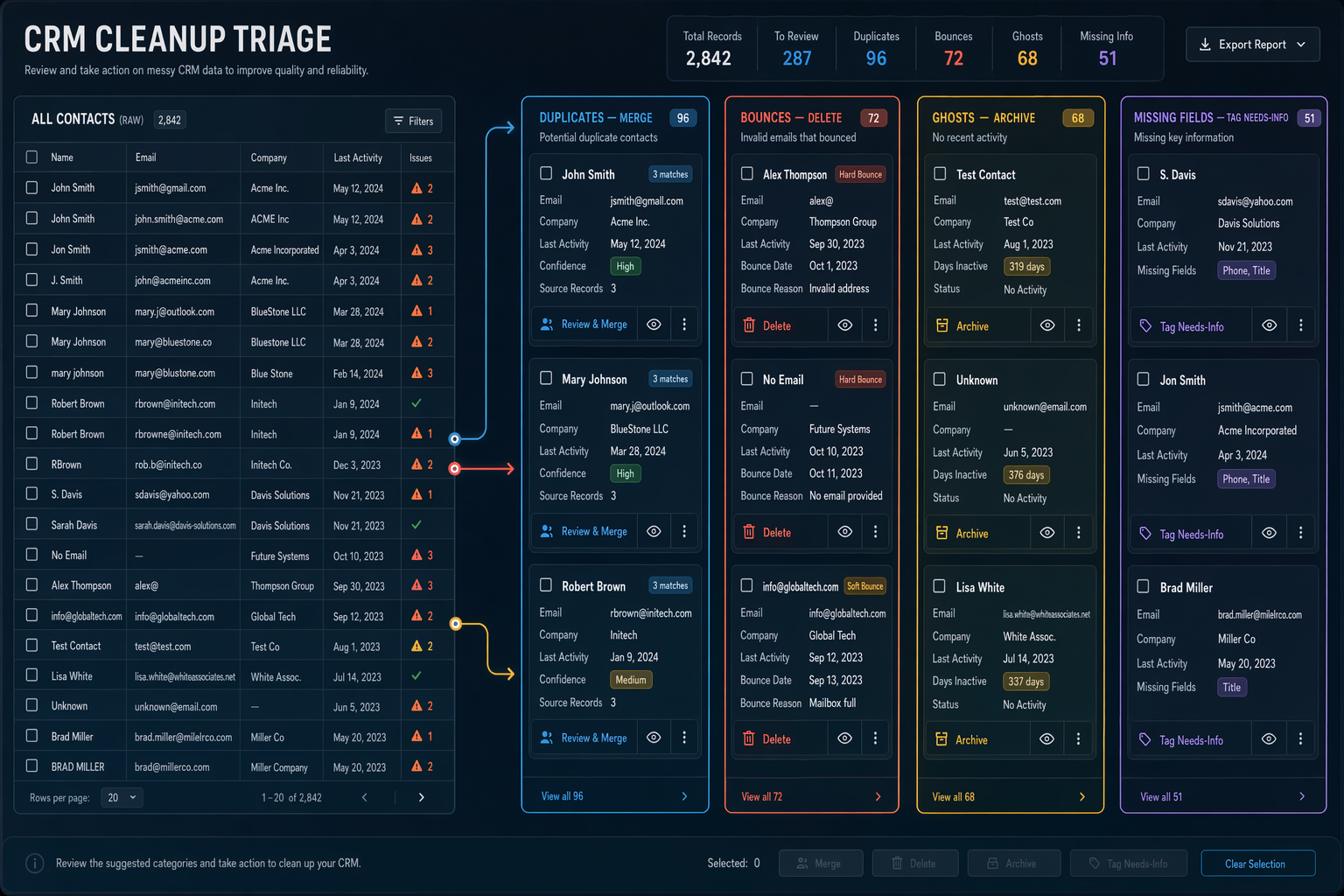
Duplicates are the most common problem and the most annoying. They show up every time someone fills out a form with a slightly different email, gets imported from a spreadsheet, or syncs from a second tool. You end up with three records for the same person, and your automations treat each one as a separate lead. One gets the welcome sequence. Another gets tagged as "unengaged." The third sits in a pipeline stage nobody checks. Meanwhile, your team thinks they have 3,000 leads when they really have 2,100.
Dead email addresses pile up quietly. People change jobs, abandon inboxes, and let domains expire. Industry data on contact decay rates shows that 22-30% of email addresses go bad every year depending on your industry. If you haven't cleaned your list in twelve months, a quarter of your addresses are probably dead.
Never-engaged contacts downloaded your lead magnet once and never opened a single email after that. They're technically valid addresses, but they drag your engagement metrics into the ground and train spam filters to ignore you. Most CRMs let you filter by "last email opened" or "last activity date." If someone hasn't shown any sign of life in six months, they're dead weight.
Incomplete records are contacts missing key fields like company name, phone number, or source tag. They clog up segments, break automations that depend on those fields, and make your reporting unreliable. A contact with no source tag can't be attributed to a campaign. A contact with no name can't get a personalized email. They're taking up space without giving you anything back.
Start with duplicates when you clean. They're the fastest to fix and the highest-impact change you'll make all day.
How to run a CRM data cleanup in one afternoon
You don't need a special tool or a data consultant. Here's the sequence that works for most small teams.
Before you start, pull one number from your CRM: total contacts. Write it down. When you're done, compare it to the new total. Most teams see a 15-30% reduction on their first cleanup. That shrinkage is the point — you're not losing value, you're removing noise.
First: export a backup. Download your full contact list as a CSV before you change anything. This takes two minutes and means you'll never have to wonder whether you accidentally deleted someone who mattered.
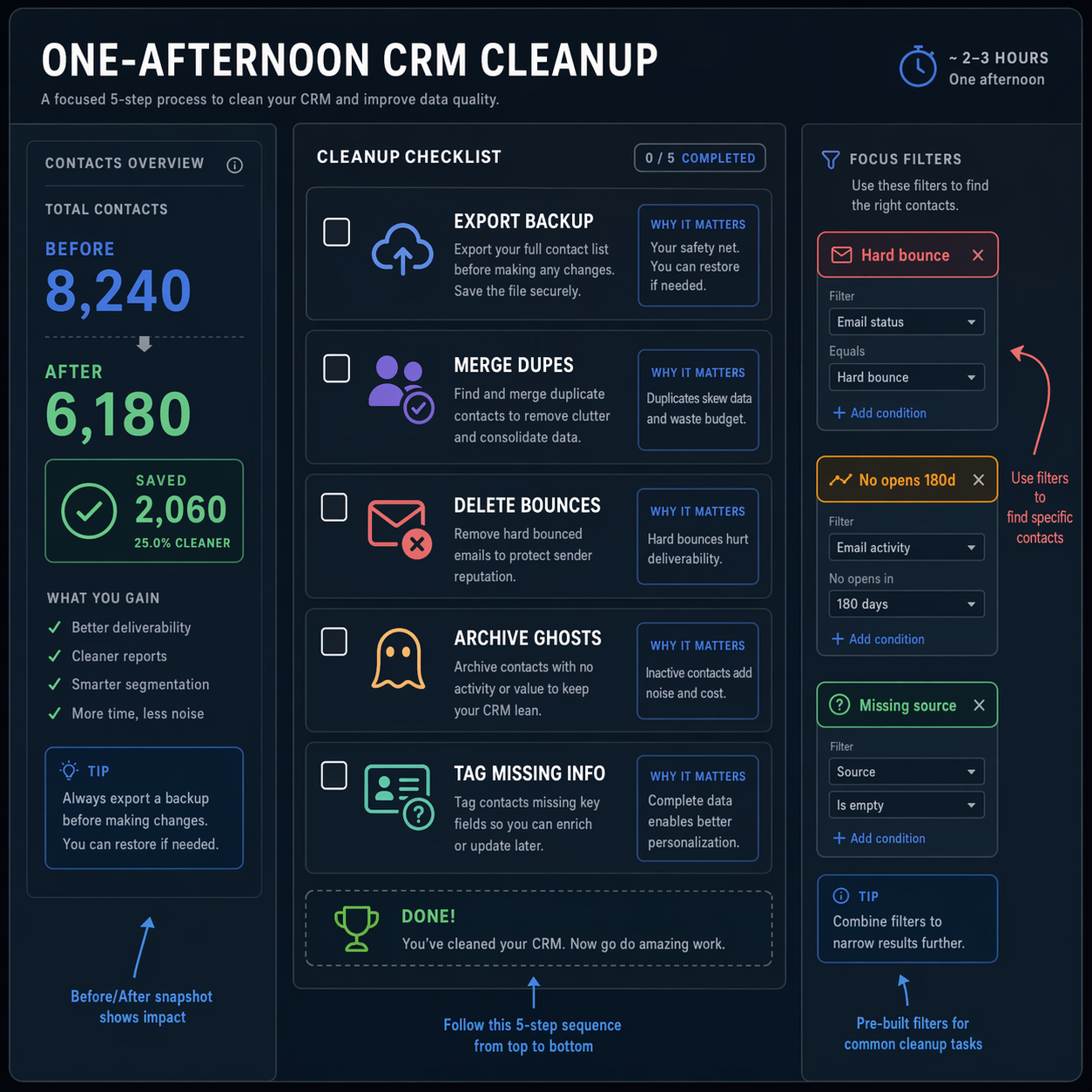
- Merge duplicates using your CRM's built-in dedup tool. HubSpot's duplicate manager is under Contacts → Actions → Manage Duplicates. GoHighLevel has a similar tool in the Contacts section. Start with high-confidence matches — same email, slightly different name spelling — and work your way down. This step alone usually shrinks a database by 10-15%.
- Purge hard bounces. Filter your contacts by email bounce status and delete every hard bounce. These addresses will never work again, and keeping them actively hurts your sender reputation.
- Archive the ghosts. Filter for contacts with zero email opens in the last six months and no other activity — no form submissions, no page visits, no replies. Most CRMs let you archive contacts or remove them from marketing lists without deleting the record entirely. The point is to stop paying for them and stop sending to them.
- Fill or flag incomplete records. Run a filter for contacts missing critical fields — email, name, and source at minimum. If you can fill the gaps from another system, do it now. If you can't, tag them as "needs-info" so they don't pollute your active segments.
What cleanup looks like in HubSpot, GoHighLevel, and ActiveCampaign
The framework above works everywhere. But "where do I actually click?" is the question we hear most, so here's the platform-specific version for the three CRMs we see most often.
- HubSpot: The Manage Duplicates tool handles most pairs automatically. For bounced contacts, create an active list filtered by "Email hard bounce reason is known" and bulk-delete the results. HubSpot also has a feature most people miss: you can set contacts as "non-marketing" to stop paying for them without deleting the record. At $50 per extra 1,000 marketing contacts, every thousand you flip to non-marketing saves $600 a year. Use this for contacts you want to keep for reference but don't plan to email.
- GoHighLevel: Head to Contacts and use the built-in duplicate detection to find and merge matches by email or phone number. For inactive contacts, filter by "Last Activity" and bulk-archive anything over six months old. GoHighLevel doesn't charge per contact, but a bloated database makes search slow, automations sluggish, and reports misleading. Clean lists mean faster everything.
- ActiveCampaign: Their engagement tagging and contact scoring make dead weight easy to spot. Go to Contacts → Advanced Search and filter for "Has not opened any campaign in last 180 days." Bulk-unsubscribe or delete. ActiveCampaign charges by contact tier, so the bill impact is immediate — cleaning out 2,000 dead contacts could drop you to a lower plan the same month.
Make CRM data cleanup a 30-minute monthly habit
A one-time cleanup is great. But data decays constantly — that 30% annual decay rate isn't a one-time event. If you don't maintain your database, you'll be right back here in six months doing the same project all over again.
The fix is a lightweight monthly routine. About 30 minutes on the first Monday of each month. Here's what to cover:
- Check your bounce report and delete any new hard bounces.
- Run the duplicate detection tool and merge anything that appeared since last month.
- Review contacts added in the last 30 days for missing fields or junk entries — test submissions, competitors signing up to snoop on your funnel, and spam signups with obviously fake names.
- Glance at email engagement trends. If your open rates are dropping, it's usually a data quality signal, not a content problem.
Clean data and working automations go together
Four steps. Thirty minutes a month. That prevents the kind of slow database rot that turns into a full-day emergency cleanup later.
If you've already audited your CRM automations, pair that quarterly check with this monthly data review. Clean data plus working automations is the combination that actually moves your pipeline. One without the other is like tuning an engine but never changing the oil.
And if you're still picking a CRM, build clean data habits into your setup from day one. It's dramatically easier to keep a clean database than to dig out of a year's worth of messy imports and unchecked duplicates.
Start right and the monthly check stays at 30 minutes. Start sloppy and your first cleanup will take a full weekend.