In this guide (6 sections)
- Five inboxes means five chances to miss a customer
- A CRM unified inbox lets you read and reply to every channel in one place
- Which channels belong in your CRM unified inbox
- GoHighLevel covers the most channels; HubSpot and ActiveCampaign need add-ons
- Get your team into one inbox with clear rules
- Track median time to first reply to know it's working
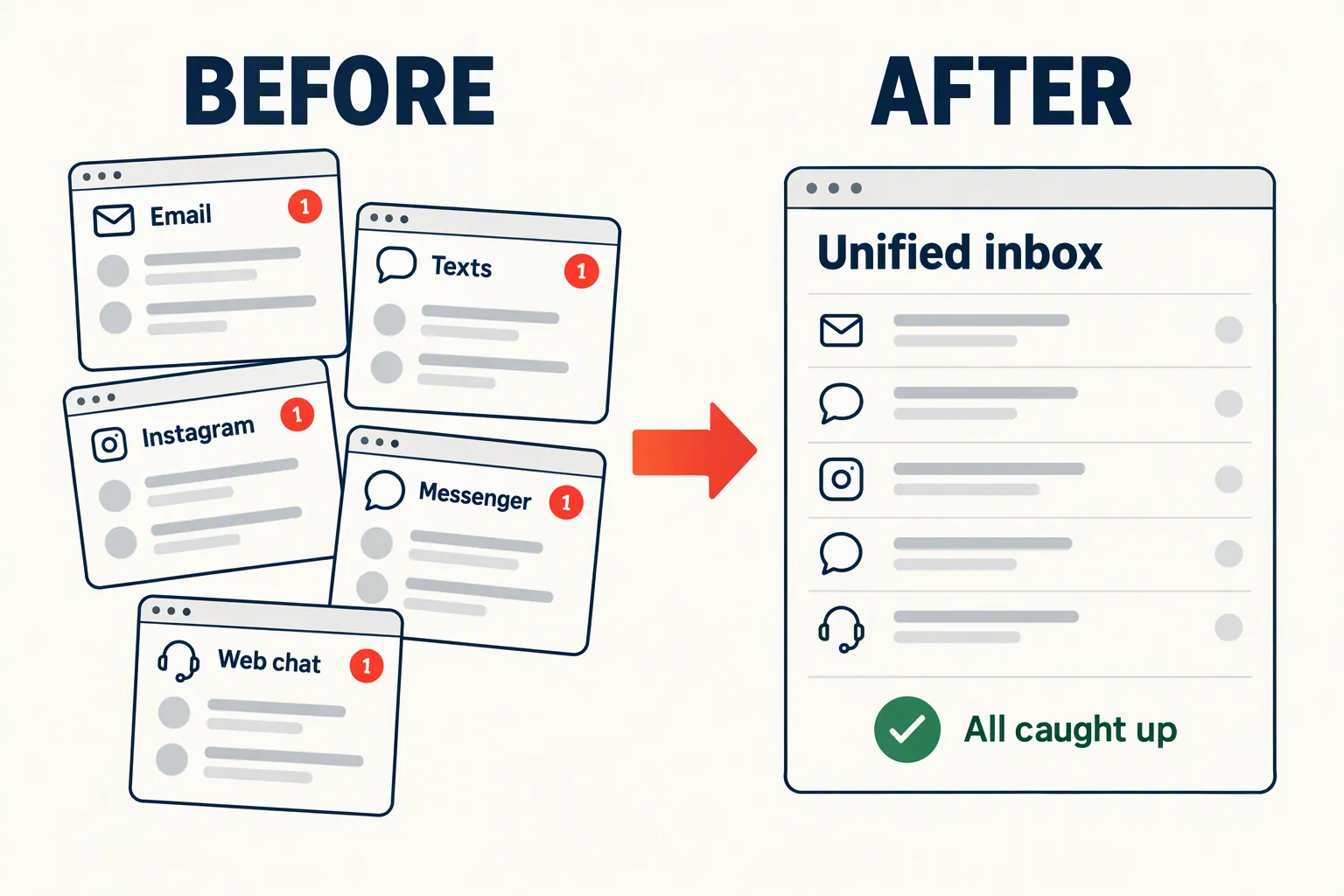
Your email is in Gmail, texts are on your phone, Instagram DMs are in the app, and website chat pings a browser tab you forgot was open. Somewhere in there, a lead asked you a question three hours ago. A CRM unified inbox pulls all of those conversations onto one screen. For most small businesses, it's the fastest way to stop losing leads who already want to talk to you.
Five inboxes means five chances to miss a customer
Every extra inbox is another place for a message to sit unread. That matters because speed wins deals.
According to Demand Local's lead response research, 78% of customers buy from the business that responds first. The same research puts the average small business response time at 42 hours. Messages landing on channels nobody is watching is a big part of that.
Think about your own setup. Email lives in one app and SMS in another. Facebook messages go to a Pages inbox nobody opens on weekends. Instagram DMs wait until someone scrolls past them.
None of these talk to each other. So when a prospect emails on Monday, DMs on Wednesday because they didn't hear back, and fills out your form on Friday, you see three strangers instead of one frustrated buyer.
Expectations are high, too. According to HubSpot's research, almost two-thirds of buyers expect a reply within 10 minutes to a sales, marketing or service question. That's hard with one inbox and close to impossible with five.
A CRM unified inbox lets you read and reply to every channel in one place
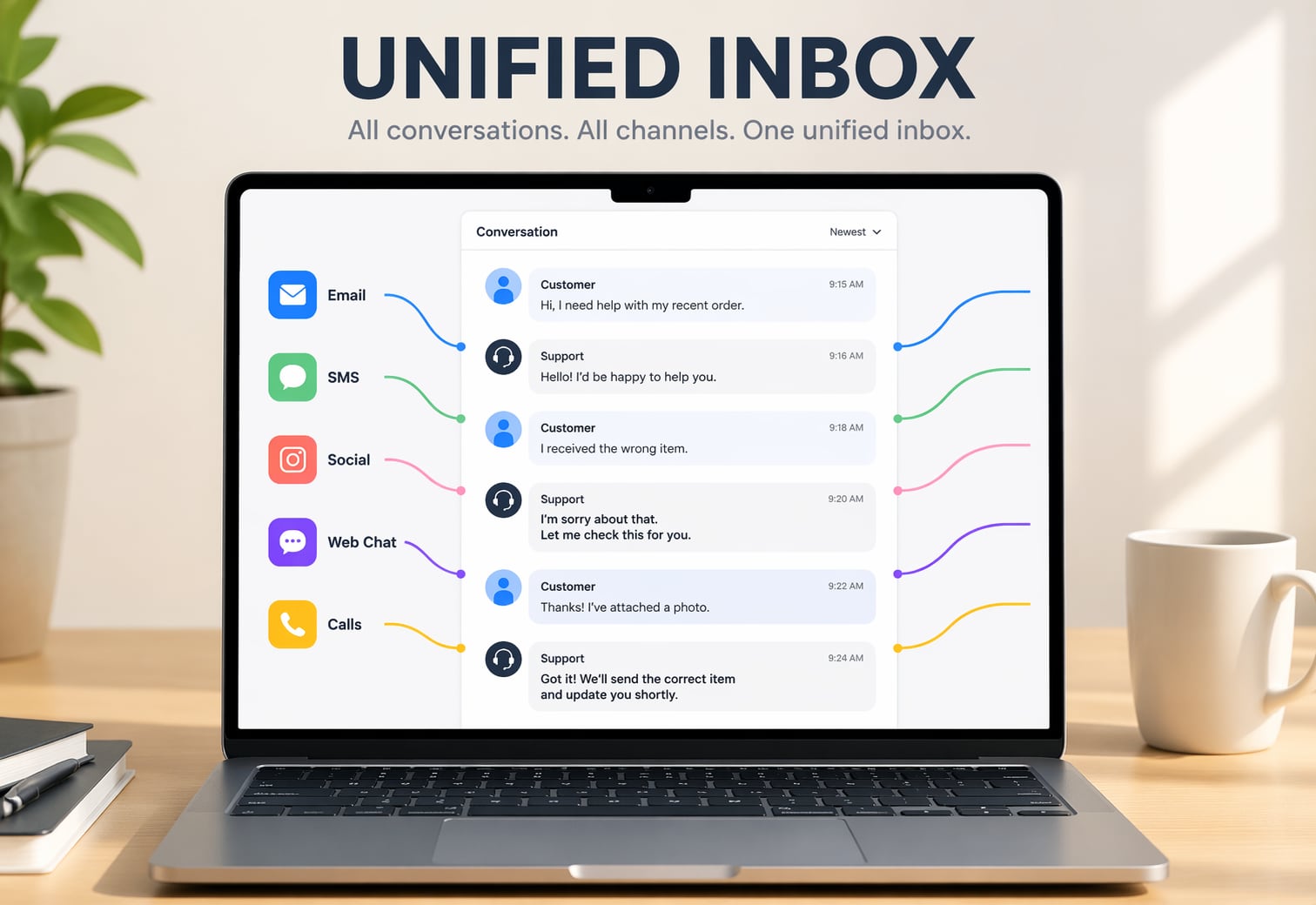
A unified inbox pulls email, SMS, calls, social DMs, web chat, and WhatsApp into one timeline per contact. Click a contact and you see everything they've sent you, in order.
That's more than an integration. An integration might sync contacts or trigger workflows between tools. A unified inbox lets you reply from the CRM itself, so you don't open Instagram to answer a DM or grab your phone to send a text.
Response times drop because the message is already in front of you. Context improves because your team sees the whole history: the Tuesday email, the form, the text reply, and the Instagram DM in one thread.
You also get accountability. When every message lands in one place, you can see which ones got a reply. "I didn't see it" stops being an excuse.
Which channels belong in your CRM unified inbox
Start with the two or three channels that bring in the most messages today. Add the rest once routing and auto-replies are working.
For most small businesses, the short list looks like this:
- Email: still the highest-volume channel for nearly every service and B2B business. Always include it.
- SMS: the fastest channel for short replies, confirmations, and quick questions. If you're using SMS for follow-up, it belongs in the same inbox.
- Facebook Messenger: worth adding if you run Facebook ads or your page gets inquiries.
- Instagram DMs: essential if you sell anything visual or run Instagram ads. DMs from ad clicks are some of the highest-intent messages you'll get.
- Web chat: if your site has a chat widget, route it here so it doesn't sit in a dashboard nobody checks.
- WhatsApp: important if you work with international clients or in markets where it's the default way to message a business. More than 3 billion people use WhatsApp.
GoHighLevel covers the most channels; HubSpot and ActiveCampaign need add-ons
All three platforms call themselves all-in-one, but their unified inboxes are very different. Here's our honest take.
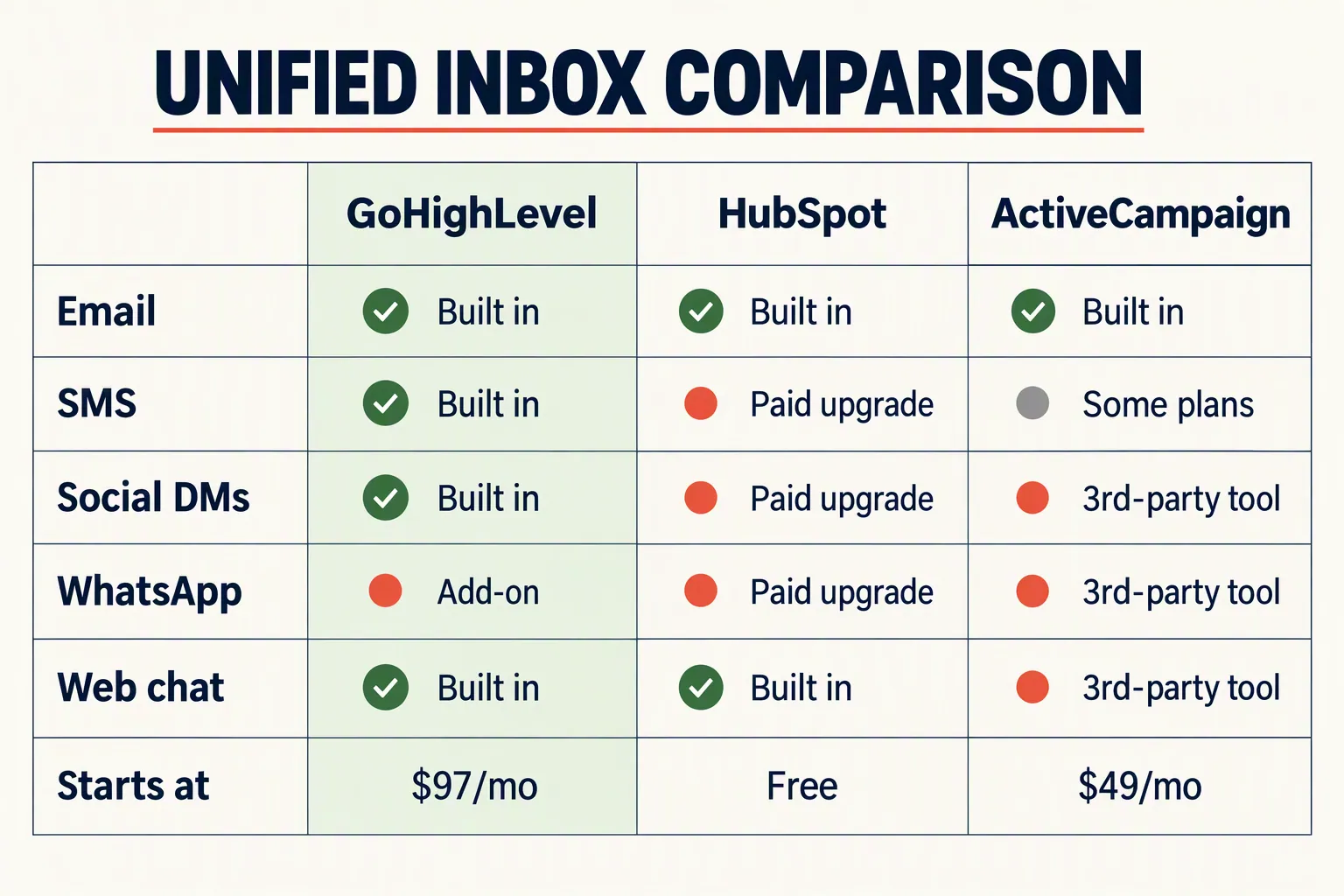
- GoHighLevel (from $97/month): the strongest unified inbox of the three. Every plan puts SMS, email, calls, Facebook Messenger, and Instagram DMs in one conversations tab, with WhatsApp available as a paid add-on. You reply from the CRM on desktop or mobile. It was built for agencies and service businesses that live in conversations, and it shows.
- HubSpot (free, with paid upgrades): HubSpot's free plan includes a shared inbox for email and live chat. Automations on conversations, such as auto-routing and escalation, need the Professional tier, which costs hundreds of dollars a month. If email is your main channel and you already use HubSpot, it works. If you need SMS and social DMs in the same view, it gets expensive fast.
- ActiveCampaign (Plus from about $49/month, billed annually): great at email automation, but its unified inbox is the weakest here. Email and CRM notes are native, and SMS is available on some plans. Social DMs and chat generally need a third-party tool like Respond.io or Trengo. If your leads come mostly through email and forms, it's fine.
Get your team into one inbox with clear rules
A unified inbox is a habit change as much as a tech change. Make the CRM the only place your team reads and replies to customer messages.
The worst version is connecting three channels while people still check the other two in their native apps. That's three inboxes instead of five, which is better but not fixed. Our CRM adoption guide covers how to get people to actually switch.
Then set response rules your team can follow. Our speed-to-lead guide explains why the first five minutes matter. A unified inbox makes that target realistic, but only with some structure:
- Assign channel ownership: who watches during which hours, and who covers weekends.
- Set a response target of under five minutes during business hours, and check it weekly.
- Build an escalation path: if a message sits for 15 minutes, notify a backup person automatically.
- Turn on after-hours auto-replies so leads know they've been heard.
Track median time to first reply to know it's working
The one number worth tracking is the median time from an inbound message to the first human reply, across all channels.
Use the median, not the average. One message that sat for three days wrecks an average, while the median shows what a typical lead experiences.
Check it weekly using the timestamps in your CRM's conversation history. If your median is under five minutes, you're far ahead of the 42-hour average from Demand Local's research.
Watch for lagging channels. You might reply to email fast but let Instagram DMs sit for hours. If one channel trails, your team still treats it as secondary, and that's where leads slip.
Finally, switch off the old channels. Remove Instagram notifications from your phone, stop checking the native texting app, and mute the Facebook Pages inbox. One screen only works if you stop looking at the other four.
How we write these: we set up and use these tools for real small businesses, check vendor pricing pages and documentation, and link our sources. We earn affiliate commissions from Systeme.io and GoHighLevel; that never decides what goes in a guide.