In this guide (6 sections)
- Review requests belong in your CRM, not your memory
- Ask every customer the same way: no review gating
- Send the ask right after the customer sees results
- Write a short review request with one direct link
- Built-in review tools cost less than a separate app
- Reply to every review, including the one-star ones
You did great work and the client is thrilled. Then you forget to ask for a review, and the moment passes. Repeat that with every happy customer and you've lost a lot of proof you could have used. CRM review request automation fixes it by asking every customer at the right moment, without you having to remember. This guide covers when to trigger the ask, how to write it, the rules on review gating and incentives, and what it costs in GoHighLevel versus a separate tool.
Review requests belong in your CRM, not your memory
Future customers check your reviews before they ever contact you. In BrightLocal's Local Consumer Review Survey, 71% of consumers said they use Google reviews to judge local businesses. A thin or stale profile can lose the sale before the first conversation.
Ratings affect revenue too. Michael Luca's Harvard Business School study of Yelp restaurants found that one extra star was linked to a 5% to 9% rise in revenue.
Fresh reviews matter as much as the total. The same BrightLocal survey found 74% of consumers only consider reviews from the last three months. A pile of old five-star reviews looks like a business that stopped trying.
Most businesses ask by hand. They mean to send the request, get busy, and forget. That's why one business has 11 reviews and the one down the street has 240.
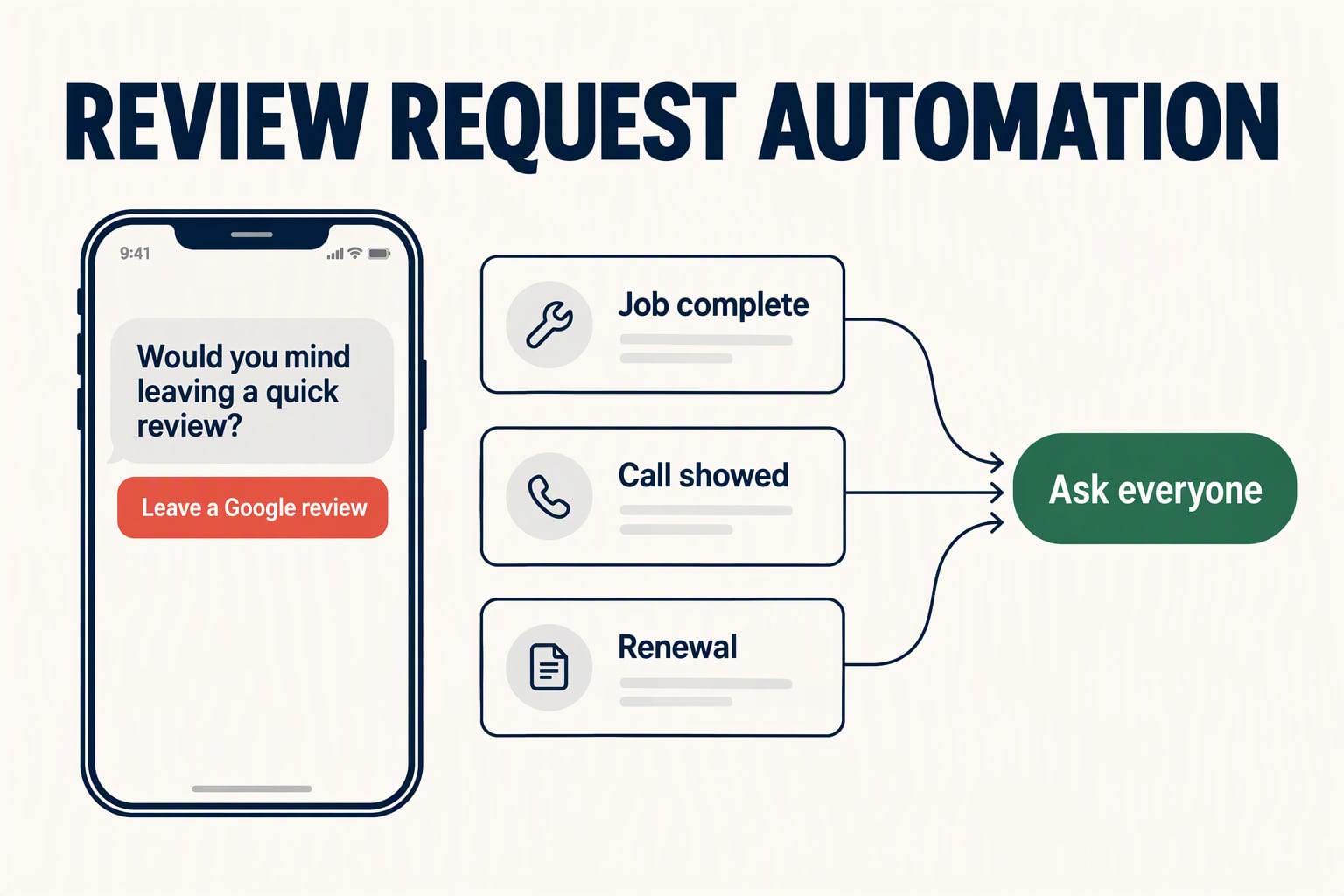
Automation removes the "I forgot" step. When a customer hits a milestone, like a finished project, an attended appointment or a renewal, the CRM sends the ask. It's the same idea that turns happy clients into referrals.
Ask every customer the same way: no review gating
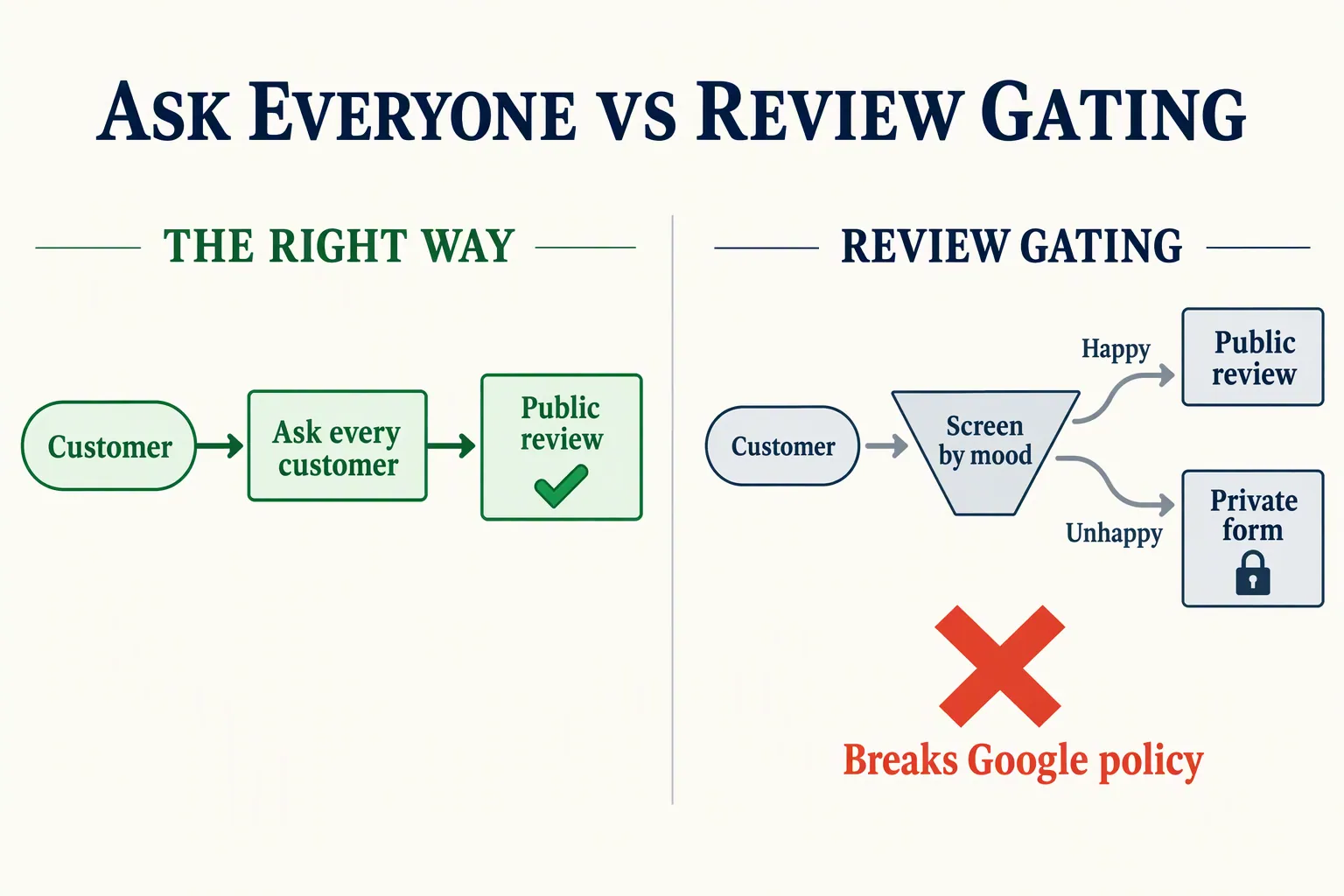
Review gating means surveying customers first, then sending only the happy ones to Google. Unhappy ones get routed to a private feedback form. Plenty of older review software was built to do exactly this, so check yours.
The FTC's rule on consumer reviews and testimonials bans fake reviews, buying positive reviews, and suppressing negative ones. The FTC says the rule doesn't name review gating specifically. But it also says gating can still break the FTC Act. Knowing violations of the rule can bring civil penalties of more than $50,000 each.
Google is clearer. Its review content policy says businesses must not discourage negative reviews or selectively ask for positive ones. Break it and you risk having reviews removed.
The fix is simple: ask everyone the same way. Don't screen by sentiment and don't hide the unhappy ones. Honest reviews with the odd four-star mixed in look more believable than a wall of perfect fives anyway.
Send the ask right after the customer sees results
Ask right after the customer feels the value. Two weeks later the good feeling has faded. Ask before the work is done and you look pushy.
Pick the moment satisfaction peaks in your business. For a consultant, that's the wrap-up call. For a service business, it's the finished job. For a coach, it's a client milestone. Tie the request to that event, not to a calendar date.
Triggers that work well:
- Project or job marked complete in your pipeline: send the ask within an hour.
- A booked call marked "showed": send the next morning.
- A renewal or repeat purchase: these customers already showed they're happy by paying again.
- A high score on a post-service survey: fine as a trigger, as long as low scorers get the same ask. Otherwise you've slipped into gating.
Write a short review request with one direct link
A good trigger still fails with a clunky message. Keep the request short, personal and one tap from done.
Text usually works better than email here, because people read texts quickly. If you're adding SMS, set it up properly first. Our CRM SMS follow-up guide covers the opt-in rules, so you don't swap a review problem for a texting-law problem.
Thank them, make one ask, and link straight to your Google review form. Don't send them to your homepage to hunt for it. Every extra click loses people.
Here's a text that works: "Hi Sarah, it's Marcus. Really glad the project landed well. Would you mind leaving a quick Google review? Takes 30 seconds: [link]. Thank you!" One ask, one link, a human voice.
Send one polite reminder a few days later if they don't respond, then stop. Don't offer anything in exchange. The FTC rule bans incentives tied to a positive review, and Google bans incentives for reviews entirely. You can thank people; you can't pay for the review.
Before you switch on the workflow, check that every request has:
- The customer's first name, so it reads like a person wrote it.
- One ask, with no other links or upsells.
- A direct link to your Google review form.
- The name of the person the customer actually worked with.
- No pressure to leave five stars.
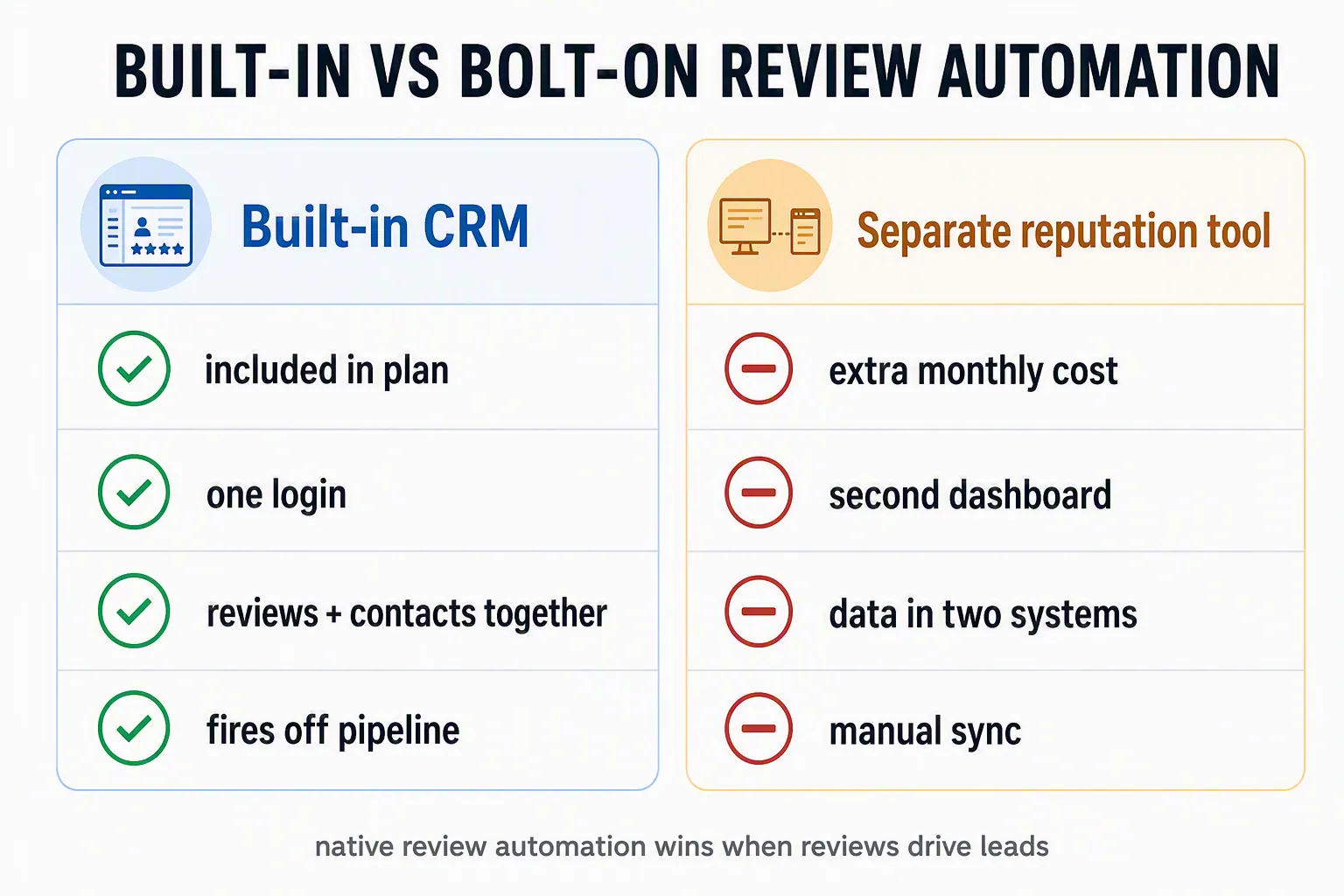
Built-in review tools cost less than a separate app
Some CRMs include review tools. Others make you add a separate app that can cost more than the CRM.
GoHighLevel lists reputation management among its core features, with plans at $97 a month (Starter), $297 (Unlimited) and $497 (Agency Pro) (prices checked October 2026). That covers automated review requests by text and email, one inbox for Google and Facebook reviews, AI reply drafts, and QR codes for in-person asks. If you already run your CRM there, review automation costs nothing extra.
Dedicated tools like Birdeye or Podium do the job well, but they're separate products, usually priced well above a basic CRM. They also live outside your CRM, so your reviews and your contact history sit in two places and your team juggles two logins.
Systeme.io isn't built for reputation management, so you'd add a review app on top. That's fine for a solo creator who needs a few testimonials. If reviews drive your leads, pick a platform that has it built in. Our Systeme.io vs GoHighLevel breakdown covers which one fits your business.
How we write these: we set up and use these tools for real small businesses, check vendor pricing pages and documentation, and link our sources. We earn affiliate commissions from Systeme.io and GoHighLevel; that never decides what goes in a guide.