How to build CRM pipeline stages that actually close deals
Your CRM shipped with default pipeline stages — "New Lead," "Contacted," "Qualified," "Proposal," "Closed Won." You probably kept them. Most people do. And that's exactly why their pipeline looks full but nothing actually closes. Default CRM pipeline stages are built for a generic sales process that doesn't exist. They don't reflect how your buyers actually decide, so your forecast becomes fiction and your team can't spot where deals get stuck. The fix takes an afternoon, and it starts with one question: what does your buyer decide at each step?
Default pipeline stages are built for nobody's business
Default stages exist because software has to ship with something. They're modeled after a generic enterprise B2B sales cycle: prospecting, discovery, proposal, negotiation, close. That flow might fit a company with a six-month deal cycle and a procurement department on the other end.
If you're a coach selling a $3,000 package off a discovery call, that's not your process. If you're an agency that sends a Loom walkthrough instead of a formal proposal, that's not your process either. And if your entire sale happens on a checkout page after someone reads your landing page — three of those stages don't even apply.
The problem goes deeper than labels. When your stages don't match reality, every metric on top of them is wrong. "Qualified" means nothing if you haven't defined what qualifies a lead in your business. "Proposal Sent" is useless when your process doesn't include a formal proposal.
According to Prospeo's 2026 pipeline benchmarks, the optimal number of CRM pipeline stages for most small businesses is five to seven. But the number isn't magic — what matters is that each stage represents something real that happened between you and the buyer.
Teams that build stages around buyer decisions — "confirmed they have the problem," "agreed on budget," "chose us over the alternative" — get a pipeline they can forecast from. Teams that list seller tasks — "emailed," "called," "followed up" — get a CRM full of activity and zero clarity on which deals will close.
Build each stage around a buyer decision, not a task you did
The most common pipeline mistake is naming stages after what the salesperson did. "Sent Email." "Scheduled Demo." "Followed Up." That turns your pipeline into a to-do list, and to-do lists don't tell you whether a deal is actually moving.
Flip it. Name each stage after what the buyer decided. "Confirmed the problem is worth solving" tells you more than "Discovery Call Completed." "Agreed on scope and budget" beats "Proposal Sent."
A task-based pipeline shows you what your team did. A decision-based pipeline shows you where each deal actually stands. Your rep might've sent three follow-up emails, but if the buyer hasn't confirmed budget, the deal hasn't moved — no matter how many tasks got checked off.
Try this test. Look at every stage in your current pipeline. For each one, ask: "Does moving a deal here mean the buyer did something, or just that my team did?" If the answer is your team, it's a task stage, not a progress stage.
This isn't just semantics. According to SPOTIO's 2026 sales data, 35–50% of sales go to the vendor that responds first. If your pipeline can't show you which deals need attention right now — because it only tracks tasks, not buyer state — you'll lose deals to someone who moved faster.
What good CRM pipeline stages look like for three business models
The right stages depend on how you sell. There's no universal template, but here are three setups that work.
Coaches and consultants run a high-touch, few-deals process. The sale hinges on one call. Everything before it is qualification; everything after is follow-through. The "fit confirmed" stage does the heavy lifting — it separates real opportunities from people who booked a call out of curiosity.
Agencies need a separate stage for scope alignment because that's where most deals die. The client wants a $5,000 project. You've scoped $15,000 of work. If you skip that conversation and jump straight to a proposal, you'll write proposals that never close.
Course creators and digital product sellers often need only three stages. If your sales cycle is "they saw it, they decided," don't add stages just to look sophisticated. A short pipeline with honest data beats a long one stuffed with noise.
Notice the pattern. Every stage answers "what has the buyer decided?" not "what did I send them?" If you're choosing a CRM, this framework matters more than the tool itself. The right stages work in any CRM. The wrong stages fail everywhere.
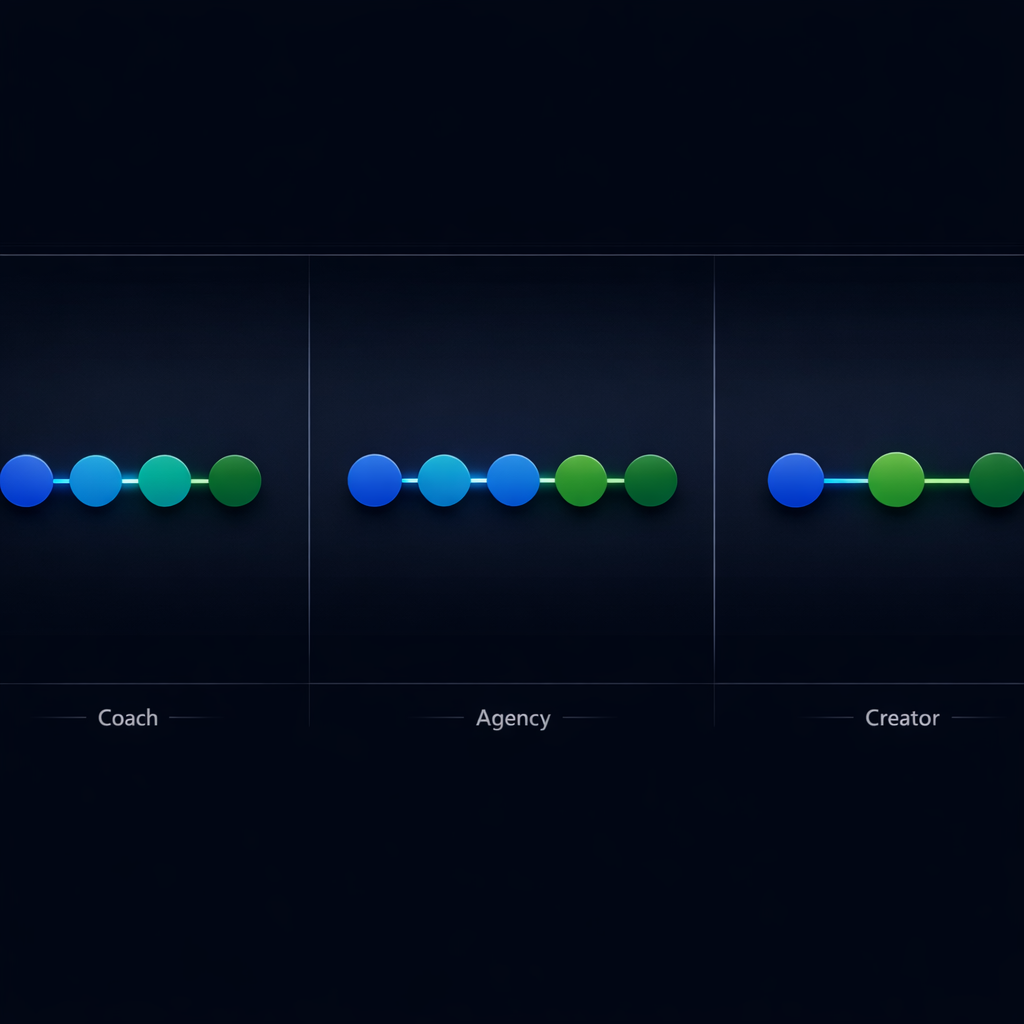
- Coaches and consultants: Inquiry received → Fit call booked → Fit confirmed (budget, timeline, and decision-maker verified) → Proposal reviewed → Closed won or lost.
- Agencies: Lead qualified → Discovery completed → Scope and budget aligned → Proposal sent and reviewed → Contract signed.
- Course creators: Interested (waitlist, webinar, or DM) → Offered (sales page or checkout link sent) → Purchased.
Set exit criteria or your pipeline will lie to you
A stage without exit criteria is just a label. Labels don't help you forecast.
Exit criteria are the specific conditions that must be true before a deal moves forward. "Fit call booked" doesn't just mean there's a calendar invite — it means the prospect confirmed they have budget, they're the decision-maker, and they have a timeline. Without those answers, the call is just a conversation.
When exit criteria are vague or missing, reps move deals forward on optimism. "This one feels good" gets parked in the proposal stage even though the prospect hasn't confirmed budget. Then your forecast shows $50,000 in proposal, but half of it is fiction.
According to SaleSso's quota attainment research, only about 24% of salespeople exceed their yearly quota. Inflated pipelines are a big part of that gap — teams over-count deals that aren't close to closing, then miss their number when those deals go silent.
Here's the fix. For each stage, write one sentence that starts with "A deal can't move here unless..." Then put it somewhere your team sees daily — a pinned doc, a shared note, or a custom field description in the CRM. It takes 30 minutes to write and saves months of bad forecasts.

- Fit confirmed: "A deal can't move here unless the prospect has named their budget range, timeline, and confirmed they're the decision-maker."
- Proposal reviewed: "A deal can't move here unless the prospect has read the proposal and given specific feedback or questions."
- Closed won: "A deal can't move here unless we have a verbal yes and the contract is in their inbox."
How to set up your CRM pipeline stages in HubSpot, GoHighLevel, or Pipedrive
The strategy is the same everywhere. The buttons are different. Here's where to start in the three CRMs we work with most.
Whichever platform you're on, the setup takes about 20 minutes. The thinking you do before you open the settings matters more than any feature the CRM offers. If your automations break down the road, misaligned pipeline stages are often the root cause.
- HubSpot: Go to Settings → Objects → Deals → Pipelines. Add your custom stages, set probability percentages for forecasting, and use the required-fields feature as built-in exit criteria. Advanced pipeline reporting needs HubSpot's Professional tier at $800/month, but Starter still gives you custom stages and required fields.
- GoHighLevel: Head to Opportunities → Pipelines and create a new pipeline. Every plan starting at $97/month includes unlimited pipelines — useful if you run different processes for different services. Pipeline stage changes can trigger follow-up sequences automatically, so "Proposal Reviewed" can fire a check-in task three days later.
- Pipedrive: Click the pipeline view and select "Edit Pipeline." Add stages, set win probabilities, and turn on the rotting feature to flag deals stuck in one stage too long. Plans start at $14/user/month, making it the cheapest option for pure pipeline management — though you'll need add-ons or Zapier for anything beyond basic automation.
Review your pipeline stages when your business changes
The pipeline you built six months ago probably doesn't fit today. You launched a new offer. Your close rate shifted. Maybe you added a step that didn't exist before — a paid audit before a full engagement, or a trial period before the contract.
When your process changes and your pipeline doesn't, deals pile up in stages that no longer mean anything. "Qualified" used to mean "they filled out a form." Now it means "they completed a paid diagnostic." If the stage definition didn't update with the process, your team is putting deals in the wrong bucket.
Check your pipeline every quarter. It takes 30 minutes. Pull up your pipeline view, look at the conversion rate between each stage, and ask two questions.
First: is there a stage where deals consistently stall? If 80% of your deals sit in "Proposal Sent" for more than two weeks, either your proposals need work or that stage is hiding two decisions — "reviewed the proposal" and "ready to negotiate."
Second: are deals jumping from stage one to the last stage, skipping everything in between? That usually means the middle stages don't match how that deal type actually moves. Either add a fast-track path or create a separate pipeline for that deal type.
The best teams we work with don't just review stages — they update exit criteria at the same time. Markets shift. Buyer behavior changes. A pipeline that matched your process last quarter might need a tweak this quarter to stay accurate.