In this guide (6 sections)
Your pipeline has 40 deals in it, but last month you closed three. That's usually a speed problem, not a lead problem. CRM pipeline velocity is one number that tells you how many dollars move through your pipeline each day. First Page Sage's pipeline velocity benchmarks put the average for businesses doing $1M to $5M at $687 a day. Most owners don't know their own number. This guide shows you how to calculate it, find where deals stall, and fix the stage that's slowing you down.
The pipeline velocity formula you should calculate today
Pipeline velocity combines four numbers you already have into one daily figure for how fast your pipeline turns into cash.
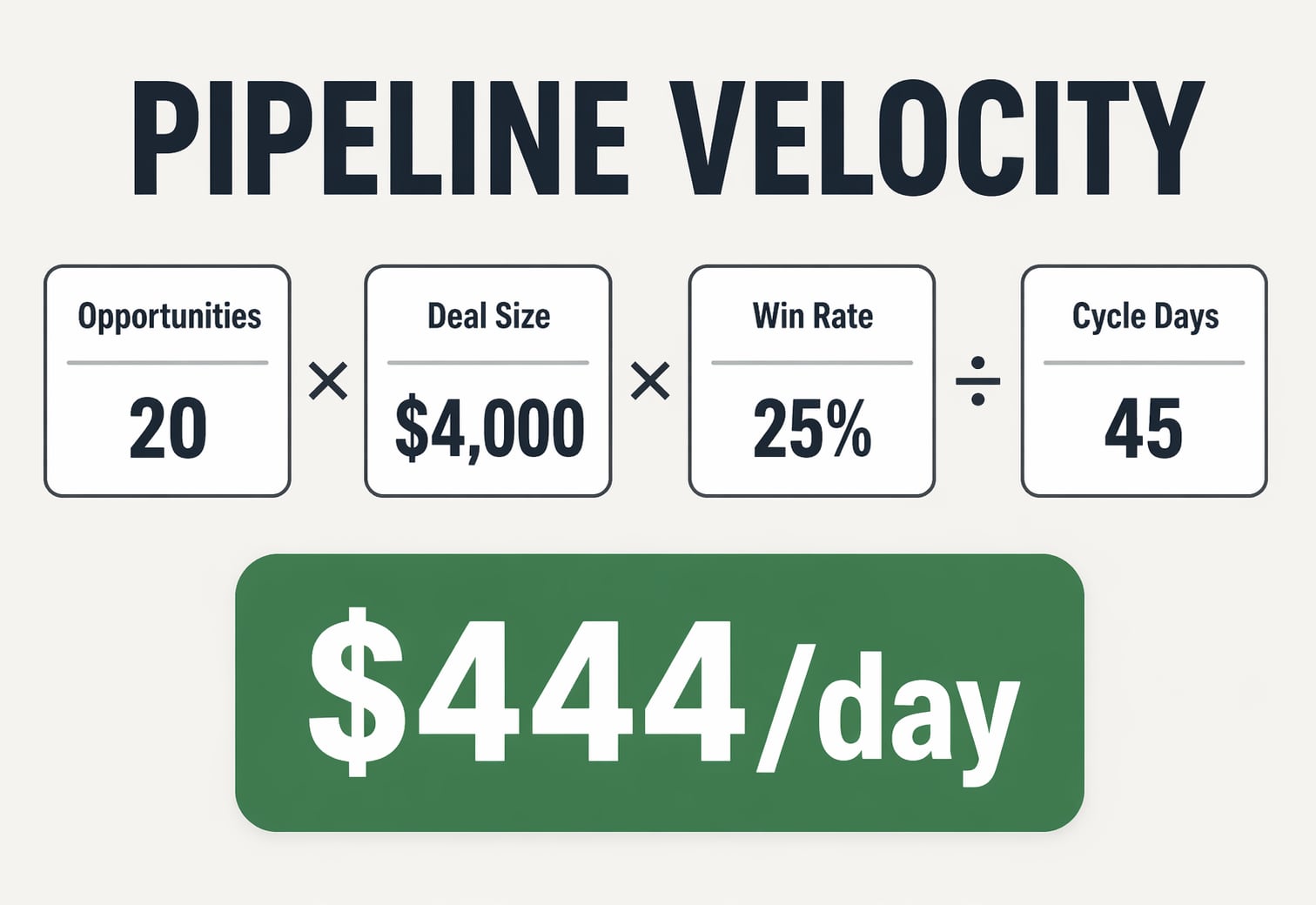
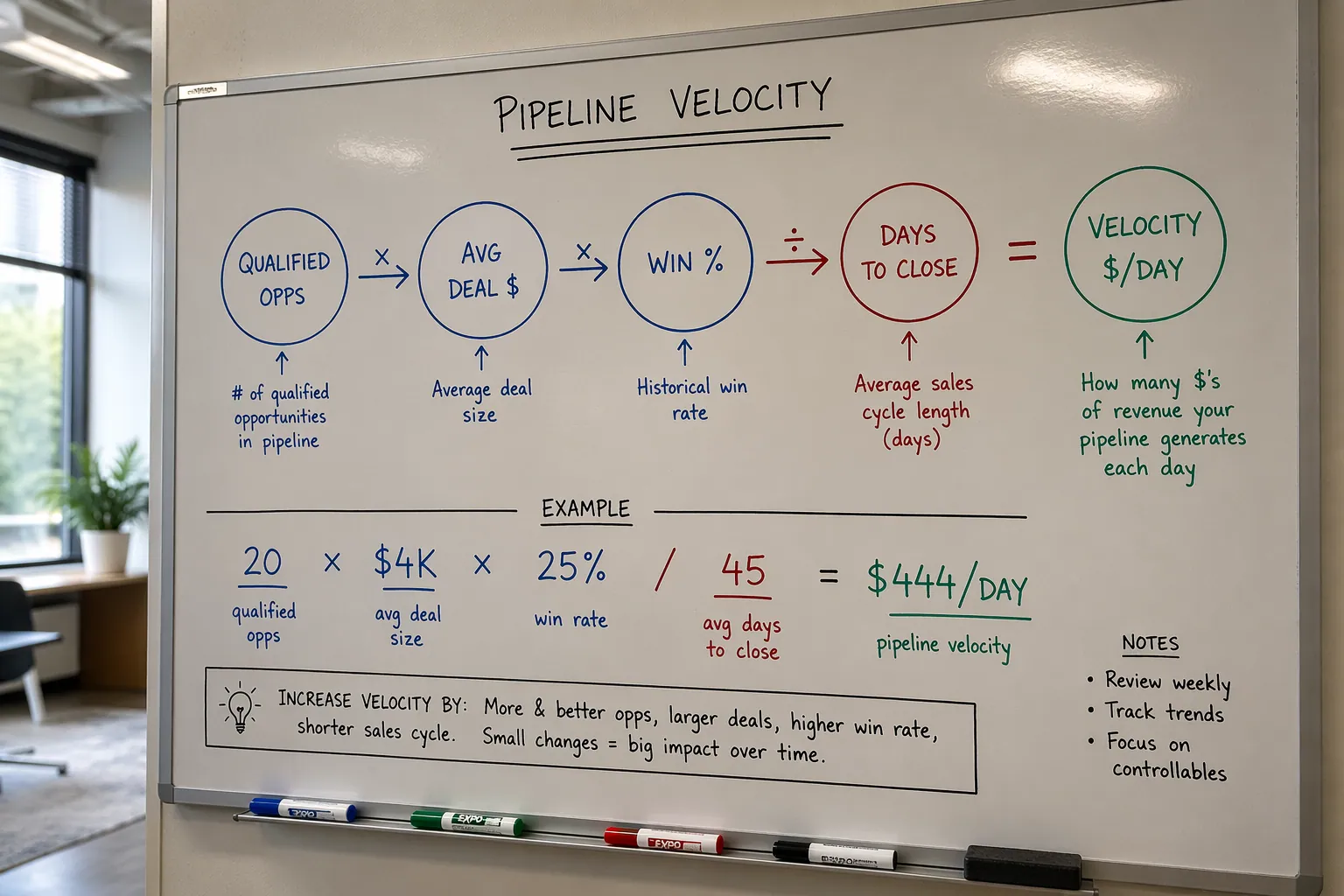
The formula: (qualified opportunities × average deal size × win rate) ÷ sales cycle length in days = daily pipeline velocity.
Say you have 20 qualified deals, an average close of $4,000, a 25% win rate, and a 45-day cycle. That's (20 × $4,000 × 0.25) ÷ 45 = $444 a day.
This beats looking at pipeline value. A pipeline "worth" $500,000 doesn't help much if deals take six months to close and half fall out. Velocity shows how much revenue is actually moving.
Most CRMs already track all four inputs. Pull the last 90 days of numbers and run the math. The result usually surprises people.
Find the one stage where deals sit longest
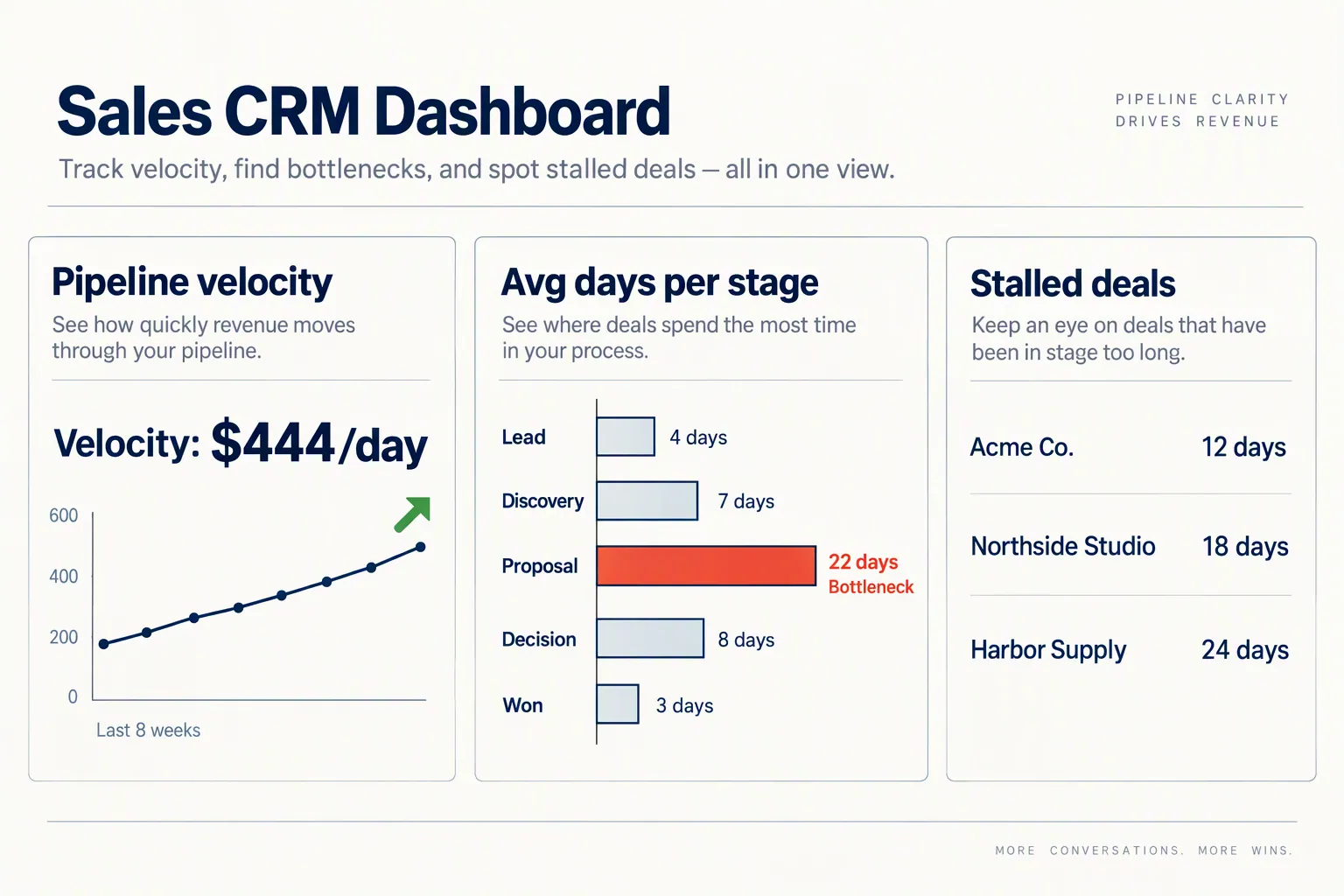
Your bottleneck is almost always one pipeline stage where deals sit far longer than anywhere else. For most small businesses, that makes sales cycle length the weakest part of the formula.
First Page Sage puts the average cycle at 43 days for companies with $1M to $5M in revenue. Plenty of teams run at 60 or 70 days without realizing it, because nobody measures time per stage.
To find yours, pull last quarter's closed deals and check how many days each spent in each stage. You'll usually find one stage where deals sit twice as long as the rest.
Common culprits: proposals that take a week because nobody owns them. "Decision-maker review" stages where deals wait 15 days for a partner to weigh in. Follow-up gaps after the first call because new inbound leads got attention first.
The fix isn't always "work faster." Sometimes you remove a stage that serves no purpose. Sometimes you add an automation that nudges stalled deals.
- Pull closed-won deals from the last 90 days.
- Record how many days each deal spent in each stage.
- Find the stage with the longest average time.
- Ask whether the delay is on your side or the buyer's. The fix is different for each.
Four levers that speed up your pipeline without adding leads
Improve any one of the four inputs and velocity goes up. Improve several and the gains multiply. Hyperspect's velocity analysis found that 10% to 15% gains on each lever can add up to a 70% velocity increase over a year.
Here's what each lever looks like for a small team, starting with the one that usually pays off most.
- Shorten the sales cycle. It's the denominator, so it moves the number most. Cut one pointless stage, set a next step on every call, and send proposals within 48 hours. Cutting 5 days off a 45-day cycle raises velocity by about 12%.
- Raise your win rate. Stop quoting everyone who books a call. A 25% win rate on a focused pipeline beats 15% on a pipeline twice the size.
- Increase average deal size. Bundle, upsell, or package your offer. Going from $3,000 to $4,000 per deal raises velocity 33% with no extra pipeline work.
- Add more qualified opportunities. It's the lever people reach for first, and it's the slowest. Unqualified leads drag down your win rate and stretch your cycle.
How to track pipeline velocity in your CRM
You don't need a spreadsheet. The CRMs we recommend most already have the pieces.
Pipedrive is the most natural fit if pipeline speed is your main worry. Its reports show average time per stage and total cycle length, and it can flag deals that have stalled. Check the pricing page for which plan includes the reports you need.
HubSpot covers velocity through its sales analytics reports, filtered by pipeline, rep, or date range. The catch: the custom reporting that makes this useful sits in the Professional tier, which costs a lot more than Starter.
GoHighLevel starts at $97 a month with unlimited users (prices checked October 2026). Its pipeline reporting gives you stage duration data, and you can set alerts for stuck deals. It doesn't call it "velocity," but the data is there.
Whatever you use, check the number weekly and compare it to last week. If it moved, ask what changed.
What good pipeline velocity looks like for small teams
Benchmarks give you a rough yardstick, but they depend heavily on deal size and industry.
According to First Page Sage's benchmarks, businesses doing $1M to $5M average $687 a day. The $5M to $25M bracket averages $1,303 a day. Professional services firms (coaches, consultants, agencies) run around $876 a day, with 51-day cycles and a 28% win rate.
If you're well below your bracket, don't panic. The number is a diagnostic, not a grade. $200 a day with a known bottleneck and a plan beats $800 a day you can't explain.
Watch the trend month to month. Rising velocity means your fixes are working. Flat or falling velocity means something changed, like a new stage adding friction, slower buyers, or deals that never should have entered the pipeline.
The market matters too. Buyers sometimes slow down for reasons that have nothing to do with you. If your velocity dipped with no internal change, buyers may simply be slower. That's a reason to work harder on the levers you control.
A 15-minute weekly check keeps deals moving
Checking velocity once is useless, so make it a short Monday habit.
Pull three things: your current velocity, a list of deals that have sat in any stage longer than average, and the number of new qualified deals added last week.
Then decide which stalled deals get a nudge this week. A nudge isn't a "just checking in" email. It's a specific next step: send the proposal, book the call with the decision-maker, or disqualify the deal and remove it. Deals left sitting for weeks inflate your cycle length and drag the whole number down.
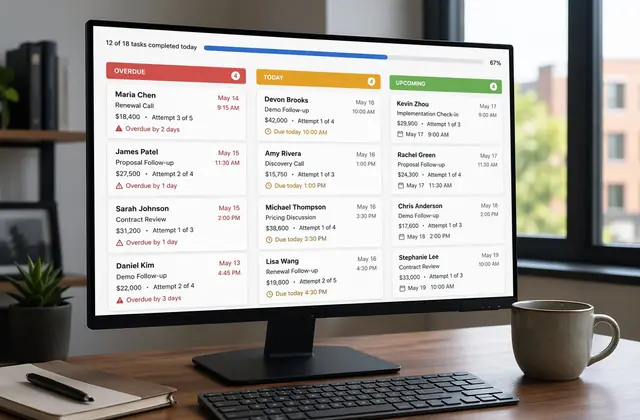
To make it automatic, set an alert or task when a deal sits in one stage for more than a set number of days. GoHighLevel and Pipedrive both do this natively, so the CRM tells you where to look.
Do this consistently and patterns show up. "Proposals always stall for a week" becomes "we send proposals same-day now," and those 5 days come off every deal you close.
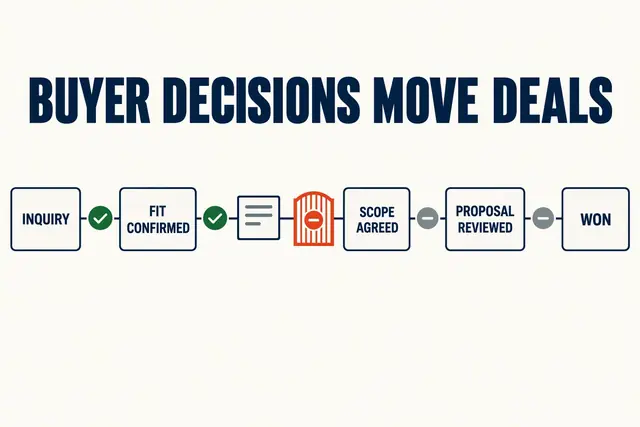
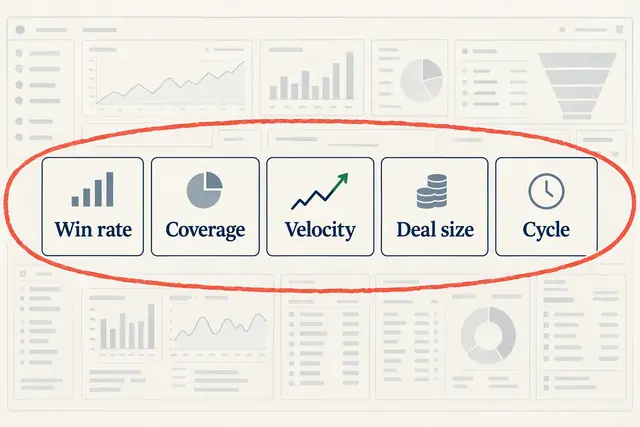
This check is faster if your pipeline stages match buyer decisions, not seller tasks. Once velocity is steady, use the same data for a weighted sales forecast, and keep an eye on the few reports that predict revenue. Still choosing a CRM? Pick one that shows stage duration without a custom report.
How we write these: we set up and use these tools for real small businesses, check vendor pricing pages and documentation, and link our sources. We earn affiliate commissions from Systeme.io and GoHighLevel; that never decides what goes in a guide.