In this guide (6 sections)
CRM contact enrichment uses third-party data to fill in the job title, company and phone number your form didn't collect, so you stop Googling leads before every call. Records decay too: Cleanlist's data decay research puts B2B contact decay at about 22.5% a year. Here's how enrichment works, what it costs and when a small business should bother.
Most CRM contacts are an email address and nothing else
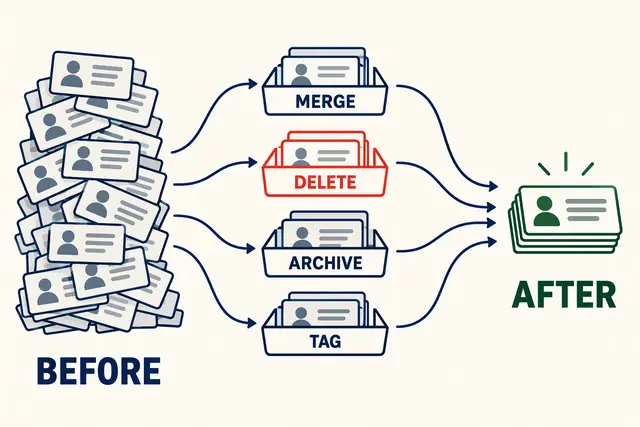
Filter your CRM for contacts with a blank company name. For a lot of small businesses, that's a big chunk of the database. Job title and phone number are usually emptier still.
You can't fix this by nagging your team or adding form fields. Every extra field costs you leads, so you keep forms short and accept the gaps.
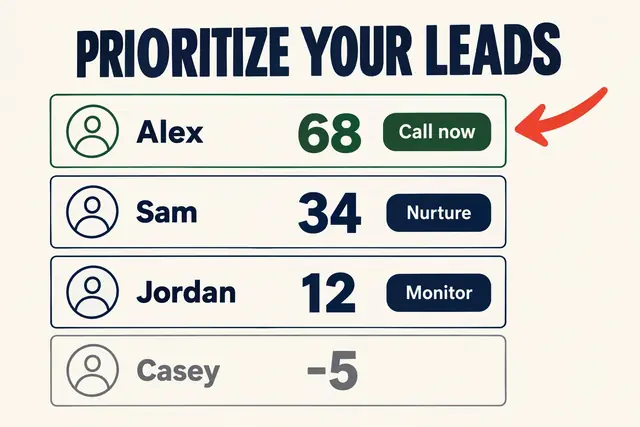
The result is a CRM full of names you can't act on. Your lead scoring can't use company size because you don't have it. Your email segmentation can't target by industry because the field is empty.
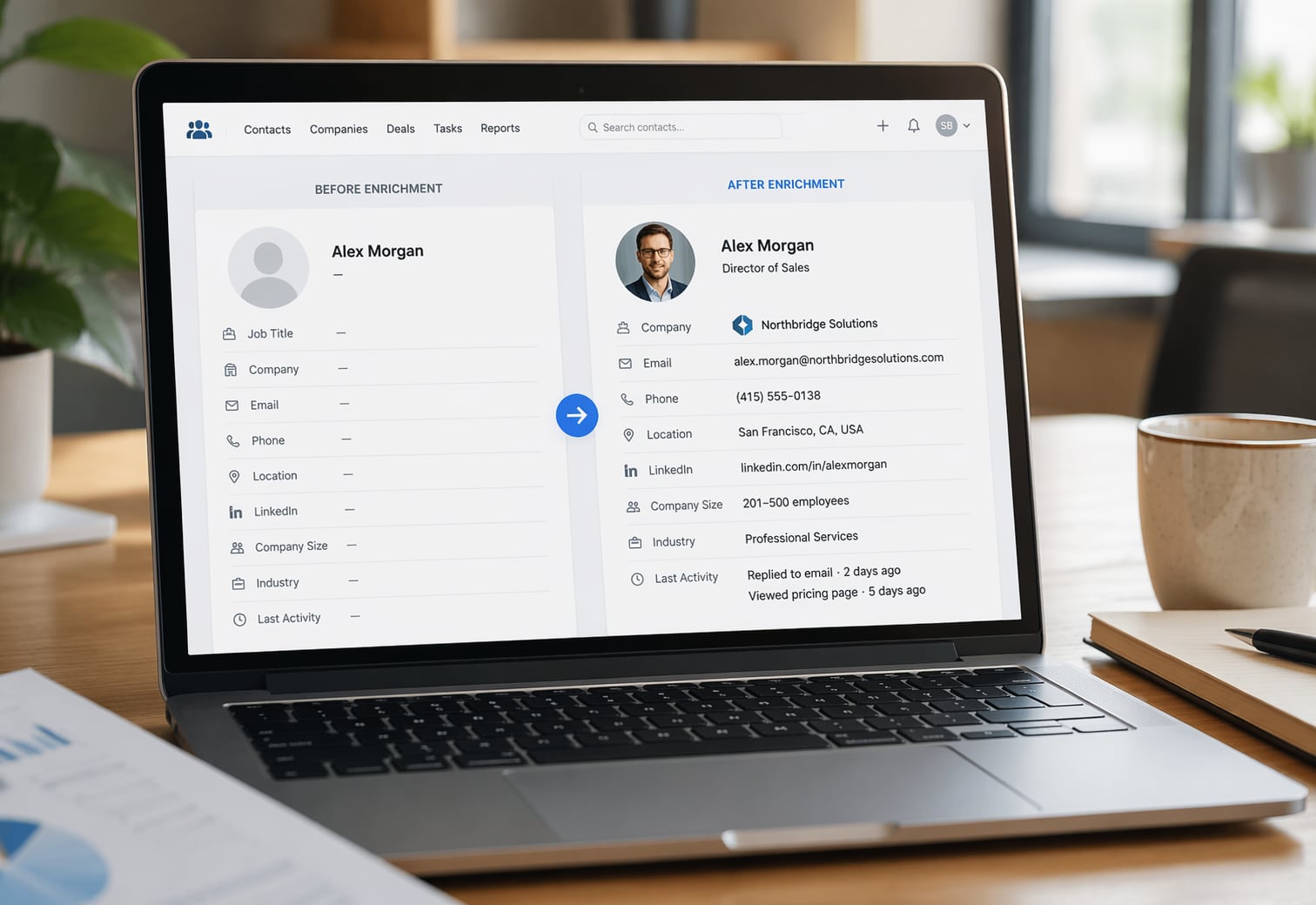
Enrichment fills the gap after the form is submitted. The tool looks up the email, finds the person's employer, title, company size, industry, and sometimes a phone number, then writes it back into your CRM. Your form stays short and your records stay useful.
How CRM contact enrichment works
Enrichment tools keep huge databases of professional contact data, built from public sources, business registrations, social profiles, and data partners. You send an email address, they send back whatever they have on that person.
A typical B2B result includes name, job title, company, company size, industry, phone number, LinkedIn URL, and website. Some tools add which software the company uses or signs that they're shopping for something like yours.
It runs in one of two ways. Real-time enrichment fires the moment a new contact lands, so the record is filled before anyone opens it. Batch enrichment runs on a schedule and fills gaps across your existing database.
Most small businesses do both: real-time on new leads, plus one batch run to backfill old contacts. After that, re-enrich every 90 days or so to catch job changes. With about 22.5% annual decay, roughly one in four contacts goes stale each year.
What enrichment tools cost a small business
Enrichment pricing is all over the place. Some tools charge per contact, some per user, some in credits. Check current pricing pages before you buy, because these plans change often.
Apollo.io is the easiest place to start. Its free plan includes email credits and access to a database of more than 210 million contacts. The Basic plan, around $49 per user per month (prices checked October 2026), adds more credits and better filters. Expect some enriched emails to bounce, so verify before you send cold mail.
HubSpot bought Clearbit and folded it into its Breeze tools. You need a paid HubSpot plan first, then enrichment runs on credits. One breakdown of Breeze Intelligence pricing put the entry level at $45 a month for 100 enrichments, or $0.45 a contact. That gets cheaper at volume, but most small teams won't hit those tiers.
Clay is a workflow builder that chains several data sources together. It checks one provider, then the next, and keeps whatever each one finds. Clay's paid plans start around $134 a month, plus whatever the data providers charge. It's powerful, but overkill for most teams under 10 people.
GoHighLevel, popular with agencies and coaches, doesn't give you a full enrichment database like Apollo's. You'll connect a third-party tool through Zapier, webhooks, or the API. That adds roughly $49 to $134 a month on top of the $97/month GoHighLevel Starter plan.
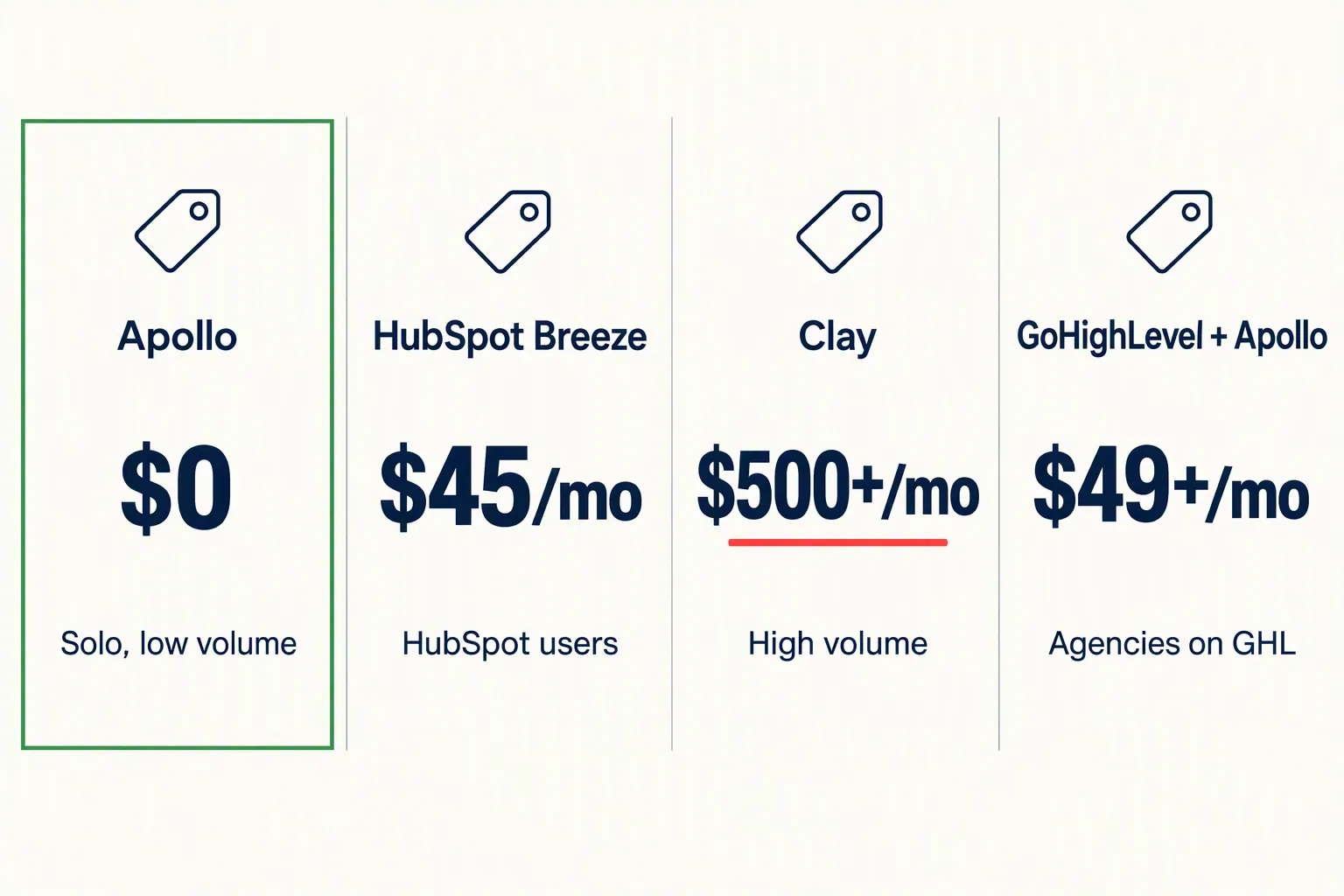
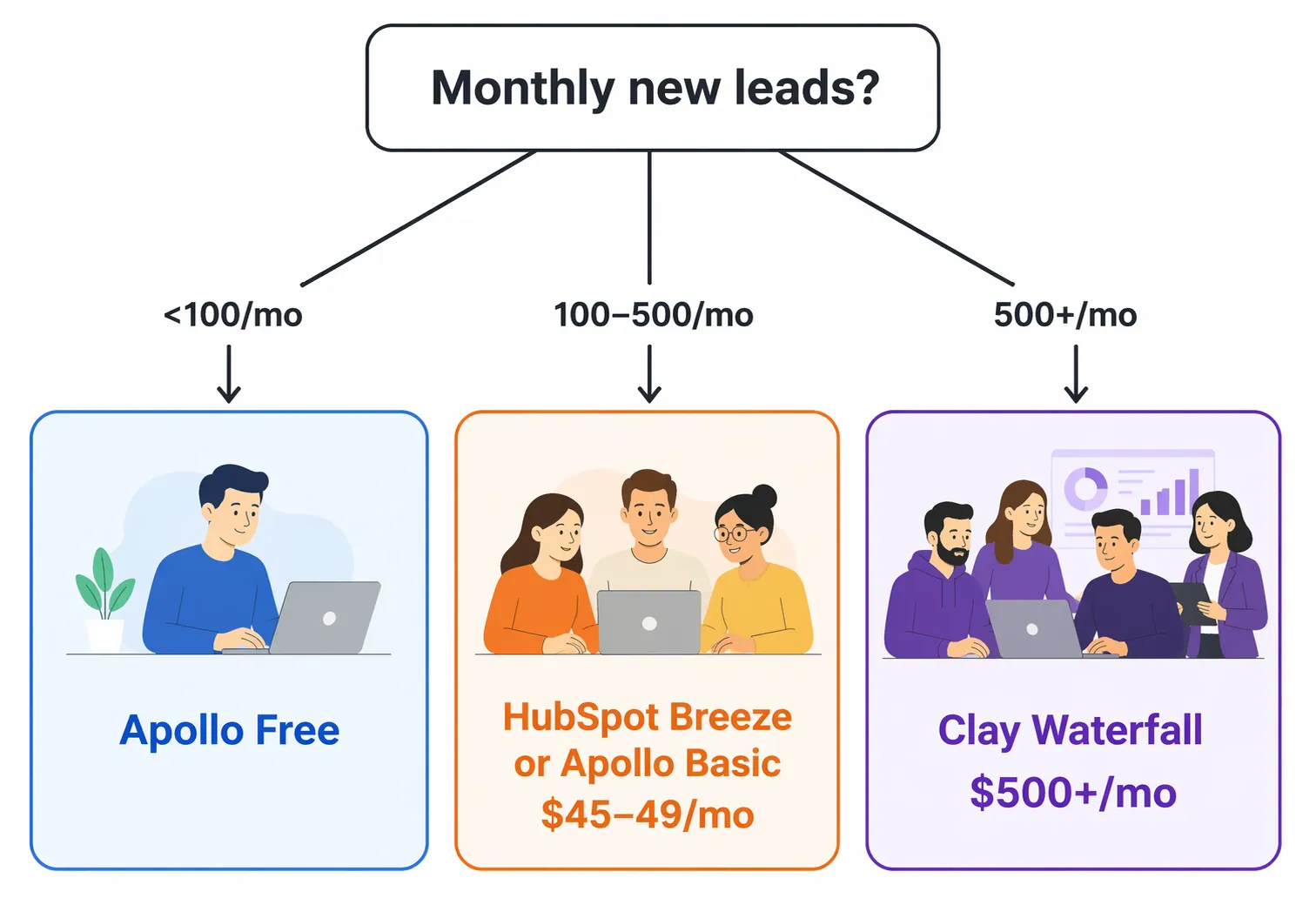
Pick your enrichment setup by monthly lead volume
Choose by three things: how many new leads you get a month, what one good lead is worth, and how technical your team is.
Under 100 leads a month and deals under $2,000? Apollo's free plan is probably enough. The data isn't perfect, but for a coach or solo consultant it beats Googling every lead.
Between 100 and 500 leads a month on $5,000+ services? HubSpot's Breeze credits or Apollo Basic make sense. At $45 to $49 a month, you're paying less than an hour of a salesperson's time.
More than 500 new contacts a month, or running outbound for several clients? Clay's chained approach fills more fields than any single provider. You'll pay more up front, but the cost per contact drops as you scale.
On GoHighLevel and don't want to switch? Connect Apollo through Zapier. A new contact in GHL triggers a lookup in Apollo, and Zapier writes the results into your custom fields. It takes about an hour to set up.
Set up basic enrichment for close to $0
You don't need a $500 monthly bill to get value from enrichment. This minimal setup works for most small businesses.
First, sign up for Apollo's free plan. Connect it to your CRM through Apollo's native integrations (HubSpot, Salesforce, and Pipedrive) or through Zapier for anything else.
Second, add a trigger: when a new contact is created, request enrichment and write the results into matching fields. At minimum, map job title, company name, company size, and LinkedIn URL. Phone numbers are nice but burn through free credits fast.
Third, backfill your existing database once. Export contacts, upload them to Apollo, download the enriched file, and reimport. You'll see segmentation and scoring improve right away.
Fourth, put a reminder on your calendar to re-enrich every 90 days. People change jobs and companies grow.
- Monthly cost: $0 for Apollo free, plus $0 to about $20 for Zapier depending on how many tasks you run
- Setup time: 1 to 2 hours for the integration, 30 minutes for the backfill
- What to expect: most new B2B contacts arrive with company and title filled in within minutes
- Upkeep: 15 minutes a quarter to re-enrich stale records
When enrichment isn't worth the money
Enrichment solves a real problem, but skip it in these cases.
You sell to consumers. Enrichment tools are built for B2B data like titles and company size. A personal Gmail address won't return much from any of them.
You sell a product under $500 on volume. You don't need someone's job title to sell a $47 course. Your email sequence does the qualifying.
Your data is still messy. Enriching duplicates gives you two complete-looking records for the same person. Do your CRM data cleanup first, then enrich.
You get fewer than 20 leads a month. At that volume, five minutes on LinkedIn per lead is faster and cheaper than building an integration.
For everyone else (B2B service businesses, agencies, consultants, and coaches who sell to companies), enrichment pays off the first time you open a record and already know who you're calling. It also makes responding to new leads fast easier, because you aren't researching before you reply.
How we write these: we set up and use these tools for real small businesses, check vendor pricing pages and documentation, and link our sources. We earn affiliate commissions from Systeme.io and GoHighLevel; that never decides what goes in a guide.