In this guide (6 sections)
- Most people who abandon checkout meant to come back
- Abandoned cart emails need a two-step order form
- How many abandoned cart emails should you send? Three is enough
- Skip the discount and write abandoned cart emails like a person
- How to set up abandoned cart emails in Systeme.io and GoHighLevel
- What abandoned cart emails should earn, and the one number to track
Abandoned cart emails are the follow-up you send when someone starts your checkout and doesn't finish. For coaches, course creators and consultants, that person is the warmest lead you'll ever get. They saw the price, typed their name, and stopped one click short.
Most people who abandon checkout meant to come back
Leaving a checkout page is normal, and a lot of those people still want what you sell. Your job is to make coming back easy.
The Baymard Institute's cart abandonment research puts the average documented abandonment rate at 70.22%, based on 50 separate studies. Roughly seven in ten people who start a checkout leave without paying.
Baymard also asked why. The biggest group, 42% of US shoppers, said they were "just browsing" or not ready to buy. Among the rest, the top reasons included extra costs (40%), not trusting the site with a card (19%), being asked to create an account (18%) and a checkout that felt too long (17%).
Those numbers come from online stores, so treat them as a direction, not a forecast for your offer. Still, the pattern fits a $497 course or a $1,500 coaching package even better. Nobody "just browses" a high-ticket offer by accident. If they reached your order form, they were seriously considering it.
That makes the abandoner different from a cold lead. You don't have to convince them they have a problem. You only need to clear whatever stopped them: a question, a doubt about timing, or a kid who walked into the room at the wrong moment.
Abandoned cart emails need a two-step order form
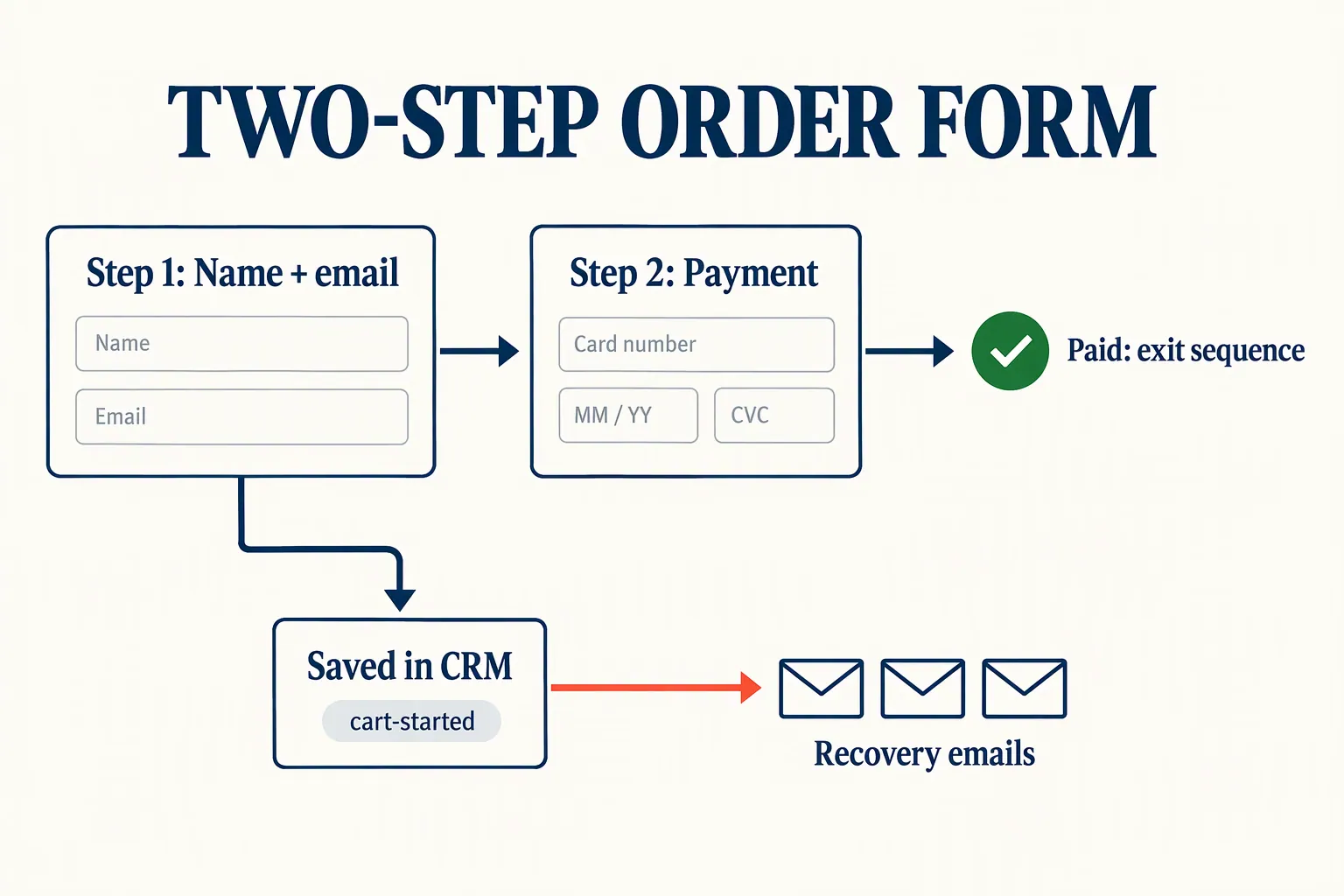
You can't follow up with someone whose email you never captured. A two-step order form fixes that by asking for name and email first, and payment details second.
On a one-step form, everything sits on one screen. If someone leaves halfway, nothing is saved, and they're gone. On a two-step form, the moment they click "next" on step one, they're a contact in your CRM with a record of what they were about to buy.
Both of our picks support this. Systeme.io's help center explains that anyone who completes step one is added to your contact list, even if they never pay. GoHighLevel offers a two-step order form element in its funnel builder that works the same way.
There's a small trade-off. A two-step form adds one extra click, and Baymard's data shows long checkouts cost sales. Keep step one to two fields (first name and email) so it feels lighter than a one-step form, not heavier.
How many abandoned cart emails should you send? Three is enough
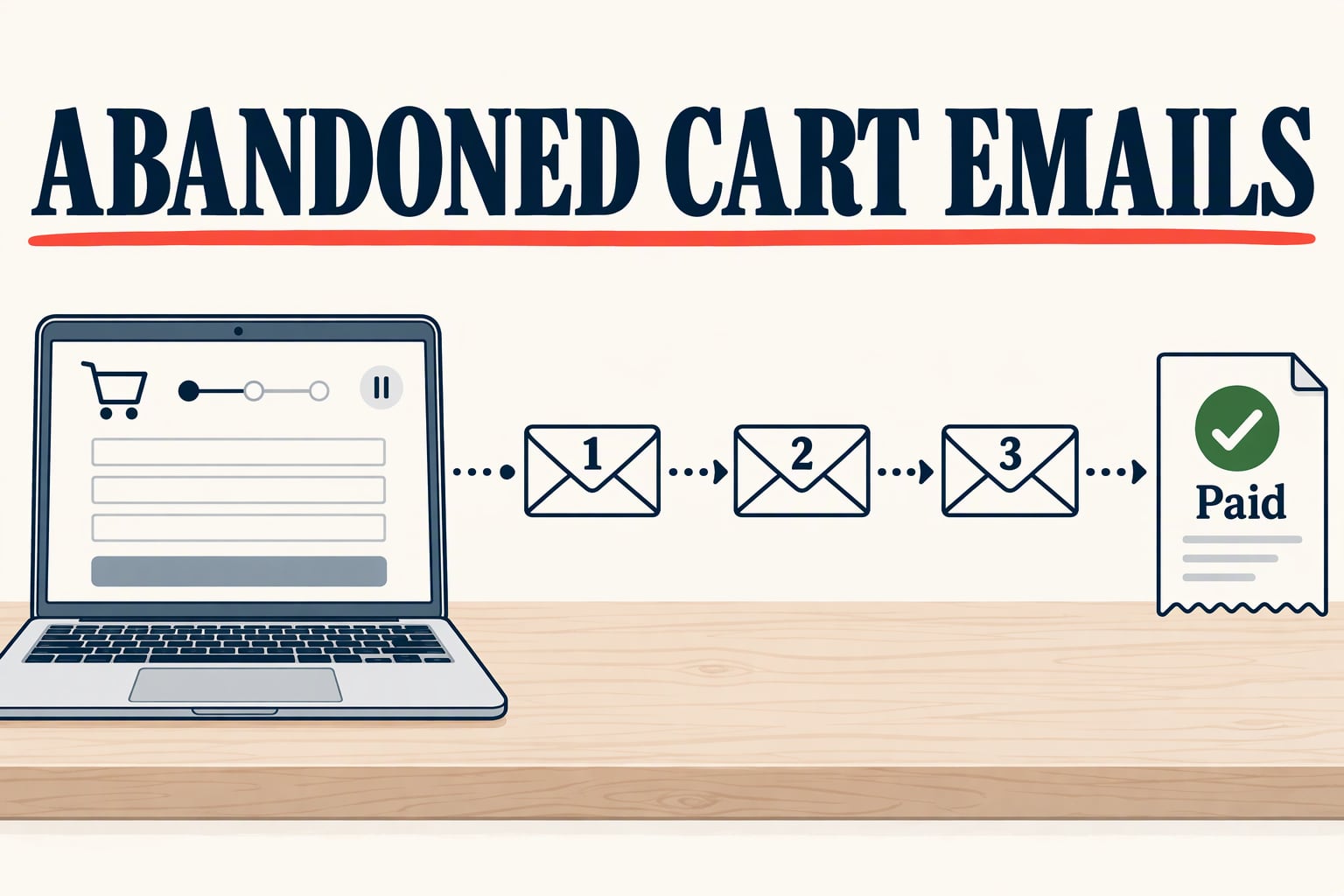
A short sequence of three messages over about three days covers almost everyone you can win back. After that, you're nagging people who have already decided.
Each message has its own job. The first is a reminder, the second answers doubts, and the third gives a clear reason to decide now. Here's the timing we'd start with:
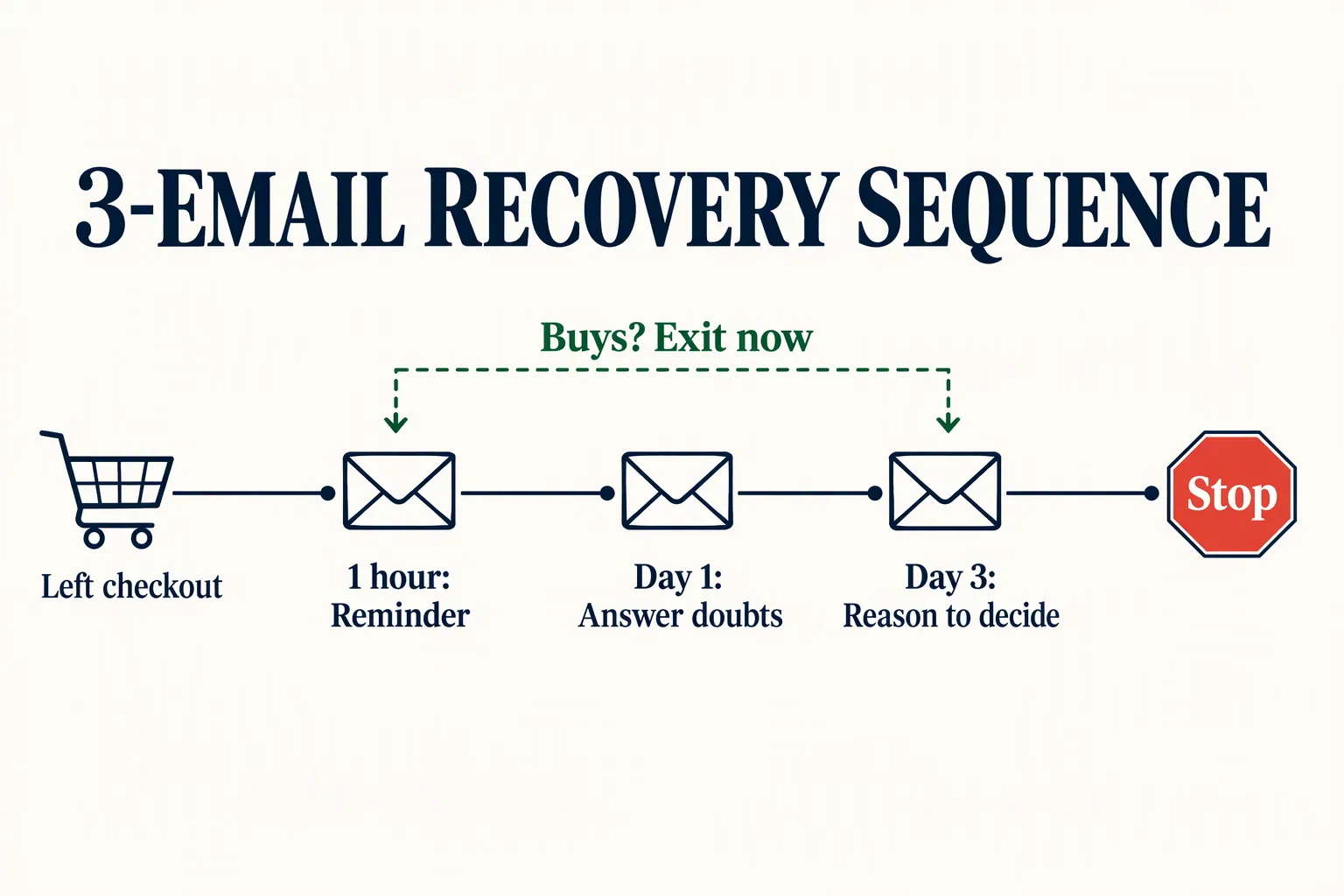
- Email 1, about one hour later: a short, plain note. "Looks like you didn't finish signing up for [offer]. Here's your link to pick up where you left off." Include one button and nothing else.
- Email 2, the next day: handle the most common objection. For a course, that's usually "Will I have time?" or "Is this right for my level?" Answer it with specifics, and invite them to reply with questions.
- Email 3, two to three days after they left: give a real reason to decide. That might be a bonus that ends, a cohort that starts Monday, or a payment plan they may not have noticed. Then say this is your last reminder, and mean it.
- Optional text message: if they gave you a phone number and agreed to texts, one SMS a few hours after email 1 can help. Our CRM SMS follow-up guide covers the consent rules.
Skip the discount and write abandoned cart emails like a person
Leading with a coupon teaches buyers that leaving checkout gets them a better price. Word gets around faster than you'd think, especially in creator communities.
Baymard's list of abandonment reasons is mostly about friction and trust, not price alone. So start by fixing those. Link to your refund policy. Show one short, real testimonial if you have one. Explain exactly what happens after they pay, like when they get access or when the first session is booked.
If you do offer something extra, save it for the third email and keep it modest. A payment plan or a small bonus often works better than a percentage off, because it doesn't lower the value of what you sell. Never invent urgency, though. If the "bonus ends Friday" line isn't true, don't write it.
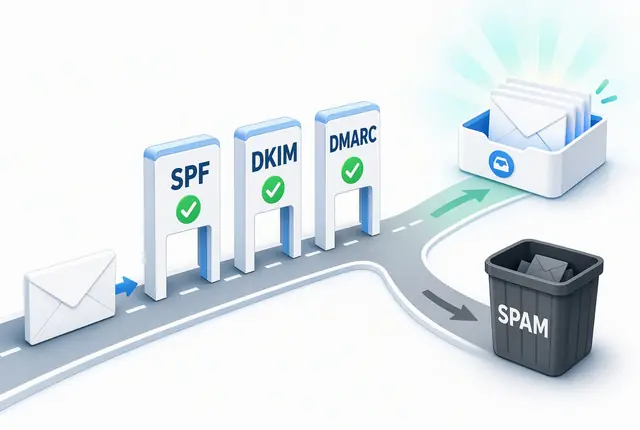
Write these emails like a person, too. Plain text from your own name usually reads better than a designed template with a big product photo. It also tends to land in the main inbox more often, which our email deliverability guide explains in more detail.
The same goes for subject lines. Short and plain beats clever, because clever looks like marketing and marketing gets skipped. Use the offer name so they know what it's about, and keep the tone calm. You're holding the door open, not chasing them down the street.
- Email 1: "Your spot in [offer] is still open" or "Did something go wrong at checkout?"
- Email 2: "Quick answer to the question most people ask" or "Is [offer] right for you?"
- Email 3: "Last note about [offer]" or "The payment plan, in case you missed it"
- Avoid: all caps, fake "Re:" or "Fwd:" prefixes, and "Your cart is about to expire!" when it isn't. These hurt trust right when you're trying to earn it.
How to set up abandoned cart emails in Systeme.io and GoHighLevel
Every setup needs two rules: one that starts the sequence when someone completes step one, and one that removes them the moment they buy. Build the removal rule first, so you never email a paying customer about a cart they already bought.
In Systeme.io (paid plans from $17/month, billed monthly), open your order form page and add an automation rule with the "Funnel step form subscribed" trigger. Set the action to add a tag like "cart-started" and subscribe the contact to your recovery campaign. Then add a second rule on the "New sale" trigger that removes the tag and unsubscribes them from that campaign. The free plan only allows one automation rule, so you'll need a paid plan for this.
In GoHighLevel (from $97/month, billed monthly), capture the contact with a two-step order form, then build a workflow that waits, checks whether an order exists, and only then sends the next message. If you sell through a HighLevel store or Shopify, the Abandoned Checkout workflow trigger does this for you. It lets you set how many minutes count as abandoned and filter by cart value or product.
HighLevel's help doc says nudges like these "routinely reclaim 10-30%" of lost orders. That's a vendor's claim with no study behind it, so we wouldn't plan around it.
If you take payments through Stripe Checkout on your own site, Stripe can notify you when a checkout session expires. Stripe's abandoned cart docs are clear that these count as promotional emails, so customers must agree to them first. Stripe can ask for that consent on the checkout page.
Before you switch it on, test the whole thing as a buyer would. Start a checkout with a spare email address, leave at step two, and check that email 1 arrives on time. Then go back, buy with a test payment or a 100% coupon, and confirm the remaining emails stop.
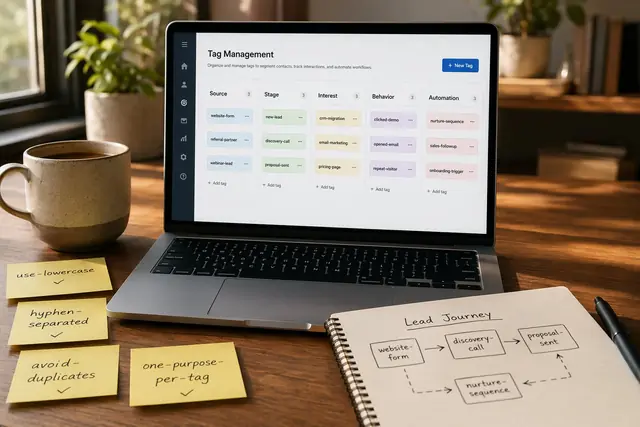
Name your tags clearly, because you'll reuse them. A tag like "cart-started-course-a" is easy to filter later. Our CRM tagging strategy shows how to keep tags from turning into a mess.
What abandoned cart emails should earn, and the one number to track
Abandoned cart flows are usually the highest-earning automation you can build. Track how many people who started checkout end up paying within seven days.
In Klaviyo's 2026 abandoned cart benchmarks, based on more than 110,000 customers, abandoned cart flows earned more per recipient than any other automated flow. The average was $6.77 per email recipient and $4.48 per text recipient. The average email click rate was 6%. Those are mostly online stores selling physical products, so use them as proof the flow is worth building, not as your target.
Here's a hypothetical to make it concrete. Say you sell a $497 course and 60 people a month reach step two of your order form without paying. If your three emails bring back just four of them, that's about $1,988 a month from an automation you set up once.
Why seven days? Your sequence ends around day three, and some people take a few more days to talk it over with a partner or wait for payday. A seven-day window counts those late buyers without crediting the emails for sales that happen weeks later for other reasons. Your CRM can show this with a simple filter: contacts tagged "cart-started" this month, and how many of them also have a purchase.
Check the number monthly. If almost nobody comes back, read the replies to email 2. People will often tell you exactly what stopped them, and that's free research for your sales page. If you see the same question three times, answer it on the page itself.
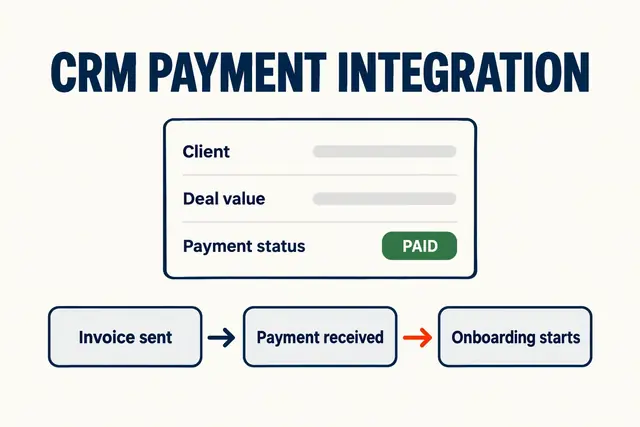
One last check: make sure the money lands where the contact lives. If payments sit in a separate tool, our CRM payment integration guide explains how to connect them so "bought" actually updates the record.
How we write these: we set up and use these tools for real small businesses, check vendor pricing pages and documentation, and link our sources. We earn affiliate commissions from Systeme.io and GoHighLevel; that never decides what goes in a guide.